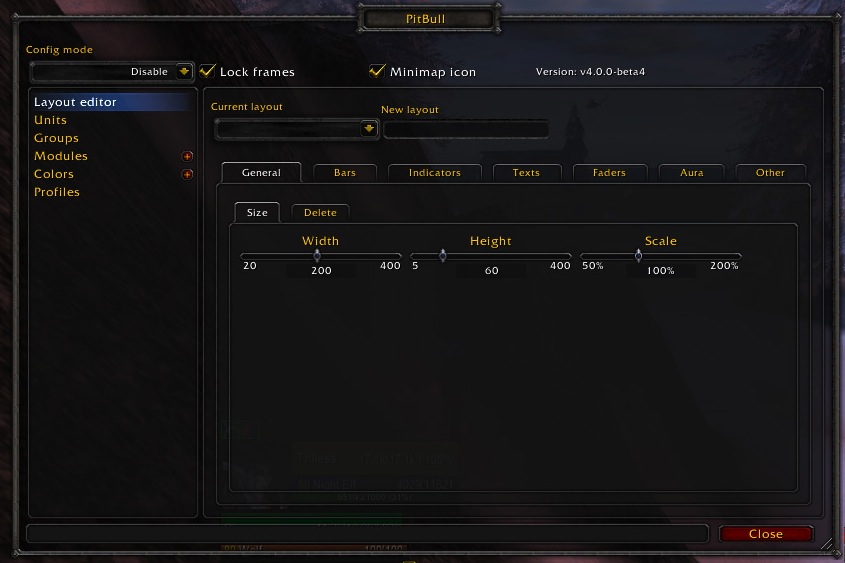
PitBull Unit Frames 4.0
PitBull Unit Frames 4.0
Woof. Arf. Yip.
Getting Started:
You can help translate PitBull for your language with the localization tool.
Classic
PitBull works with WoW Classic! Classic Era/Vanilla is supported in
v4.3.x-vanilla releases. Other Classic versions are supported in v4.2.x releases
(the same releases retail use).
Download
CurseForge: https://www.curseforge.com/wow/addons/pitbull-unit-frames-4-0
Wago: https://addons.wago.io/addons/pitbull4
WoWInterface: https://www.wowinterface.com/downloads/info20021


-
View User Profile
-
Send Message
Posted Sep 3, 2012Both of them are the Totems module, which is now enabled for druids in order to show Mushroom timers. Configure it on the indicators, totems tab for the appropriate layout(s).
-
View User Profile
-
Send Message
Posted Sep 3, 2012Hey can anyone tell me if it is possible 2 show Debuffs on my Target in Different Colors like Purple for Curse, Blue for Magic etc. I can´t find a way 2 do it.
-
View User Profile
-
Send Message
Posted Sep 3, 2012Go to the layout for your target frame. Aura tab. Borders. Set the various debuff borders to Color by Dispel type. If it's not working you're probably on the wrong layout.
-
View User Profile
-
Send Message
Posted Sep 3, 2012THANK you very much :D i totaly didn´t pay attention 2 that window i thought it does something else :D
-
View User Profile
-
Send Message
Posted Sep 2, 2012Noticed on several toons that when I change specs the normal WoW player and target become visible. They are supposed to be hidden. It's easily fixed with an addon reload or I can go in and untick/retick "hide blizzard unit frame" in the pitbull config. But it's only on some of my characters. Is it addon interactions or something? This didn't just start patch 5.0.4.
-
View User Profile
-
Send Message
Posted Sep 2, 2012Some other addon is showing them. There are several addons that show the frames everytime you zone, change specs, etc... if they don't have them set to hidden in their config because the authors never considered more than one addon could be configured to hide them. In fact this comes up often enough it's in the FAQ:
http://www.wowace.com/addons/pitbull4/pages/faq/#w-i-have-the-blizzard-player-and-target-frames-set-to
-
View User Profile
-
Send Message
Posted Sep 2, 2012@Pinkdwarf
WoW doesn't provide anyway to rotate the text. However you can put newlines in the text to make it appear vertical.
So let's say you start with this:
Take the return line and wrap it in string.format and put it in a variable, then add the code that follows that line. You should leave any lines ahead of the return line alone. If the text has multiple return lines you'll probably want to refactor it so that it only has one.
But the above example would end up like so:
-
View User Profile
-
Send Message
Posted Sep 2, 2012@nickstaroba
A rework of the anchoring code is in progress. I haven't released it because it rewrites users confs and once changed you can't go back unless you have a backup (and most users don't). So I need to throughly test it.
-
View User Profile
-
Send Message
Posted Sep 2, 2012Would like to know what the font is you use in the "plainish" layout and how did you manage to show the amount of your HP and the percentage of your HP verticaly instead of next to eachother. I tried everything with the LUA code, but can't seem to find out how you did that.
Thanks a lot in advance! :)
-
View User Profile
-
Send Message
Posted Sep 3, 2012I'll look into it.
-
View User Profile
-
Send Message
Posted Sep 2, 2012I am having a problem with alternate power bar for alysrazor. I am not getting the feather bar. I have alternate power bar enabled in pitbull. Is anyone else having this issue?
-
View User Profile
-
Send Message
Posted Sep 3, 2012Typo in the module that I'd thought I'd fixed. Will be fixed in beta36. Sorry about that.
-
View User Profile
-
Send Message
Posted Sep 2, 2012@Shefki
Re: Aura anchoring frame. Understandable about not wanting to take out that optimization. It's still something I wouldn't mind having in the future, but for now I've come up with a different solution.
Another request, though. Can you add the ability to set the anchor to/from into the options for Groups? I'd like to offset my party and raid frames from the bottom center of the screen rather than the center.
Thanks for your work and consideration of my requests. :)
-
View User Profile
-
Send Message
Posted Sep 1, 2012Sharedmedia library doesn't seem to work, any suggestions?
-
View User Profile
-
Send Message
Posted Sep 2, 2012That's really not much to work on. Are you getting an error, fonts just not showing up, what is actually happening?
My bet would be that since the SharedMedia addon hasn't been updated you simply don't have load out of date addons checked.
-
View User Profile
-
Send Message
Posted Sep 2, 2012Move the frame or adjust the strata or level of PitBull or the cast bar?
-
View User Profile
-
Send Message
Posted Sep 2, 2012i cant get dominos cast working when i use pitbull
-
View User Profile
-
Send Message
Posted Sep 1, 2012i Got this prob that i cant see another cast bar cuz pitbull is going to block for other cast bar
-
View User Profile
-
Send Message
Posted Sep 1, 2012I have a Question regarding Ghoul Pet as Frost-DK. When I summon my temporary ghoul a timer appears above my unitframe. I like this, but I haven't found anything in "Indicators" where stuff like this usually is, can you quickly tell me where i find that so i can move it to another location?
-
View User Profile
-
Send Message
Posted Sep 1, 2012For whatever reason Blizzard implemented the Ghoul for non-unholy DK's as a Totem. So you can adjust it under the setting for the Totems module.