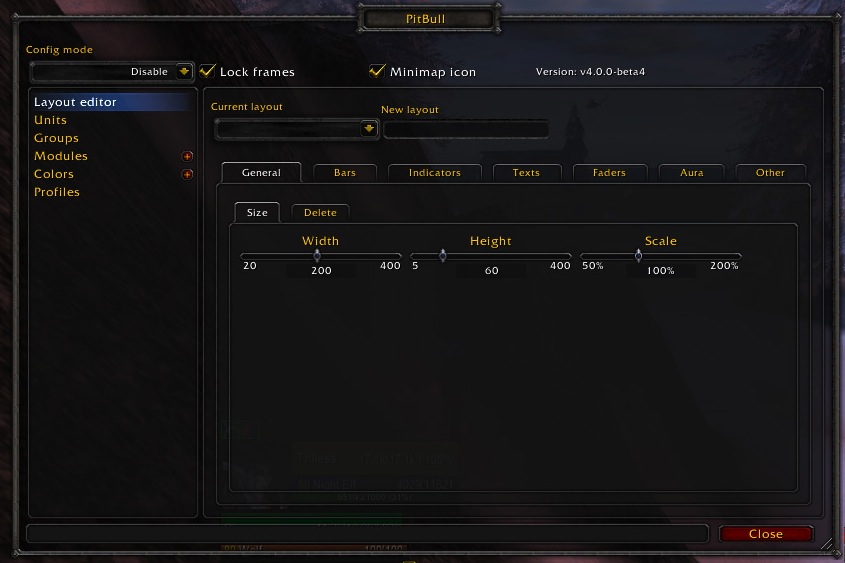
PitBull Unit Frames 4.0
PitBull Unit Frames 4.0
Woof. Arf. Yip.
Getting Started:
You can help translate PitBull for your language with the localization tool.
Classic
PitBull works with WoW Classic! Classic Era/Vanilla is supported in
v4.3.x-vanilla releases. Other Classic versions are supported in v4.2.x releases
(the same releases retail use).
Download
CurseForge: https://www.curseforge.com/wow/addons/pitbull-unit-frames-4-0
Wago: https://addons.wago.io/addons/pitbull4
WoWInterface: https://www.wowinterface.com/downloads/info20021


-
View User Profile
-
Send Message
Posted Oct 12, 2026@Rumorix Where can we get this Forever version please?
-
View User Profile
-
Send Message
Posted Oct 12, 2026@Rumorix I deleted my old Lua files copied from MOP. Everything works correctly now under a fresh default profile. It seems reusing the MOP config directly caused this issue.
Also I encountered 3 other issues:
1. After selecting a target and then clearing it, the portrait of the `target` unit frame would remain stuck on screen. I found some code in `Main.lua` that clears leftover visuals for `targettarget` and `focus` frames. Adding `target` there fixed this problem.
2. When moving unit frames, the `player` and `target` frames stay attached to the mouse and cannot stop dragging. I located drag-stop logic for `targettarget` and `focus` inside `UnitFrame.lua`. Adding `target` and `player` to that section resolved the dragging issue.
3. The `LeaderIcon` still does not display at all.
-
View User Profile
-
Send Message
Posted Oct 12, 2026@Venomisto https://onedrive.live.com/?id=/personal/25688cb7a16be526/Documents/Pitbull4 - by rumorix (forever)&listurl=/personal/25688cb7a16be526/Documents&ithint=folder&migratedtospo=true&redeem=aHR0cHM6Ly8xZHJ2Lm1zL2YvYy8yNTY4OGNiN2ExNmJlNTI2L0lnRGdXWVhic292Z1M3N2NfUW1FQ2lmTUFkVlRXVjZEaXdxSjJzT0xiR3JmSGY4&ga=1
-
View User Profile
-
Send Message
Posted Oct 12, 2026@denverchenc82 im checkng on it =)
-
View User Profile
-
Send Message
Posted Oct 12, 2026@denverchenc82 Hey!
Thanks a lot for investigating these issues and sharing your findings!
Great to hear that the power values are working correctly with a fresh profile. That helps narrow the original issue down to the old MoP configuration rather than the power APIs.
We've already made some changes to target-frame cleanup and drag handling in previous Forever versions, so I'll compare your findings against the latest code to make sure Player and Target are properly covered.
I'll also investigate the missing LeaderIcon, as that still needs attention.
Really appreciate the detailed feedback and especially the code-level troubleshooting! :)
-
View User Profile
-
Send Message
Posted Oct 11, 2026@denverchenc82 I'd try moving your pitbull.lua saved variables to desktop and seeing if they work on a fresh stock profile. If it works, need to just redo your configs - I had to wipe my settings a couple of times over the various version testing (thought I have been messing with a lot of stuff while testing, so could just be me).
-
View User Profile
-
Send Message
Posted Oct 12, 2026@ixlone I deleted my old Lua files copied from MOP. Everything works correctly now under a fresh default profile. It seems reusing the MOP config directly caused this issue. I will rebuild my setup manually. Thanks a lot for your help!
-
View User Profile
-
Send Message
Posted Oct 12, 2026@denverchenc82 good to hear =)
-
View User Profile
-
Send Message
Posted Oct 9, 2026Hi, a little LUA error with "Essence" Evoker resource :
445x ...s/Blizzard_UnitFrame/Mainline/EssenceFramePlayer.lua:64: attempt to compare local 'peace' (a secret number value, while execution tainted by 'PitBull4')
[Blizzard_UnitFrame/Mainline/EssenceFramePlayer.lua]:64: in function <...s/Blizzard_UnitFrame/Mainline/EssenceFramePlayer.lua:62>
-
View User Profile
-
Send Message
Posted Oct 10, 2026@NoNe10 cheers! should be fixed in p101 - please give it a try=)
-
View User Profile
-
Send Message
Posted Oct 10, 2026@NoNe10 *v104 - i might have inserted som eissues and needed to fix them :D
-
View User Profile
-
Send Message
Posted Oct 8, 2026unable to use the aura filter feature; does anyone know how to get it working?
-
View User Profile
-
Send Message
Posted Oct 8, 2026@Cognition I am not sure if the feature has been removed or if I accidentally altered the settings. I tried following the advice from various AI responses and posts, but the issue remains unresolved.
-
View User Profile
-
Send Message
Posted Oct 9, 2026@Cognition cheers! could you just tell me about what version we are talking? retail or forever and whats aura filtering for you :D
-
View User Profile
-
Send Message
Posted Oct 9, 2026@Cognition when i understand it correctly- you are talking about the old aura filtering method - that god disabled with midnight - i have reenabled it but its currently untested so use it with care and i am open to feedback! (v99 btw)
-
View User Profile
-
Send Message
Posted Oct 9, 2026@Rumorix Exectly wanted
-
View User Profile
-
Send Message
Posted Oct 8, 2026Hi, I tried all versions here and none could solve my problem.
I have a profile in the Forever Beta that, as far as I used it, works in all tested classes.
Only not in the Mage class. The error: all values health, mana, level, name etc. are not displayed in the player frame. Only the Bars will displayed, not the text. I haven't found a way to fix this.
All other frames are fine. When the player is as a target, all values are displayed correctly in the target frame.
Regardless of whether it's create a new profile or a new character, nothing will be fixed. The mistake a only in the mage class.
-
View User Profile
-
Send Message
Posted Oct 9, 2026@unbespielbar66 thanks for your post - i have uploaded a new version - implemented changes from americanmoose aswell and maybe you can give it a try =)
-
View User Profile
-
Send Message
Posted Oct 9, 2026@unbespielbar66 and: maybe you can give me some more infos (screenshots, version etc. via PN here or on discord?)
-
View User Profile
-
Send Message
Posted Oct 7, 2026First of all, huge shoutout to @Rumorix for their efforts in maintaining and updating Pitbull for modern WoW clients. I've been a pitbull user myself for as long as I can remember. I've created a version of pitbull for WoW Forever located here:
https://drive.google.com/file/d/19PbKcEncF25oCl9k6VNufmTzuShrj_LE/view?usp=sharing
I believe this fixes any remaining issues for WoW Forever (credit mainly ChatGPT).
Additionally, you should be able to copy over an existing Pitbull file from (WoW Install)/(WoW Version)/WTF/Account/(Account Name)/Saved Variables/Pitbull 4.lua
to
(WoW Install)/_classic_beta_/WTF/Account/(Account Name)/Saved Variables
To carry over all your previous saved configurations.
You'll likely get LUA errors when you first login, but running the Pitbull Profile Ugrader will fix those. Thanks so much and hope you all enjoy!