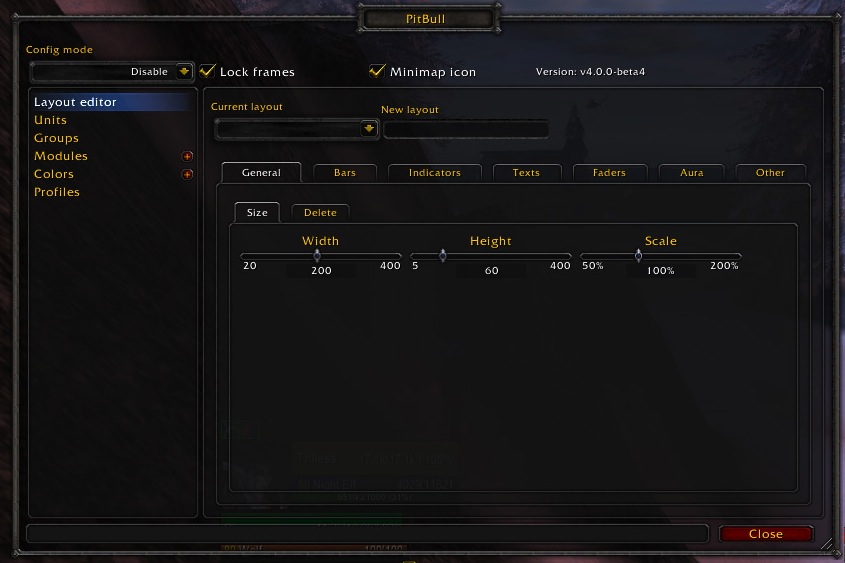
PitBull Unit Frames 4.0
PitBull Unit Frames 4.0
Woof. Arf. Yip.
Getting Started:
You can help translate PitBull for your language with the localization tool.
Classic
PitBull works with WoW Classic! Classic Era/Vanilla is supported in
v4.3.x-vanilla releases. Other Classic versions are supported in v4.2.x releases
(the same releases retail use).
Download
CurseForge: https://www.curseforge.com/wow/addons/pitbull-unit-frames-4-0
Wago: https://addons.wago.io/addons/pitbull4
WoWInterface: https://www.wowinterface.com/downloads/info20021


-
View User Profile
-
Send Message
Posted Aug 11, 2026Cheers all! you can download my first 12.1 version here:
https://1drv.ms/f/c/25688cb7a16be526/IgDvr810POcETbKR5MaoqZTgARoMWi3misaF8nw5m6yD2iU?e=FMBinM
Bare with me - i will test it myself on 12.1 tomorrow
-
View User Profile
-
Send Message
Posted Aug 12, 2026@Rumorix currently fixing some stuff and also adding a kind of "what CD is running" module
-
View User Profile
-
Send Message
Posted Aug 13, 2026@Rumorix currently testing the "major cooldown module"
-
View User Profile
-
Send Message
Posted Aug 3, 2026Hello all,
After waiting for this to get updated, I got impatient and used an LLM to bugfix the Classic Era version of PB4:
Modules/ReputationBar/ReputationBar.lua
Change:
hooksecurefunc("MainMenuBar_UpdateExperienceBars", Update)
to:
if MainMenuBar_UpdateExperienceBars then
hooksecurefunc("MainMenuBar_UpdateExperienceBars", Update)
end
Modules/HideBlizzard/HideBlizzard.lua
In hook_frames(), wrap the existing frame code in:
if frame then
...
end
This fixes the nil frame error.
Main.lua
Replace old addon API calls with:
GetNumAddOns -> C_AddOns.GetNumAddOns
IsAddOnLoadOnDemand -> C_AddOns.IsAddOnLoadOnDemand
GetAddOnInfo -> C_AddOns.GetAddOnInfo
GetAddOnDependencies -> C_AddOns.GetAddOnDependencies
GetAddOnMetadata -> C_AddOns.GetAddOnMetadata
Options/General.lua
IsAddOnLoaded -> C_AddOns.IsAddOnLoaded
Options/Modules.lua
GetAddOnEnableState -> C_AddOns.GetAddOnEnableState
IsAddOnLoadOnDemand -> C_AddOns.IsAddOnLoadOnDemand
GetAddOnInfo -> C_AddOns.GetAddOnInfo
GetAddOnMetadata -> C_AddOns.GetAddOnMetadata
- Zurk
-
View User Profile
-
Send Message
Posted Aug 3, 2026@desperate_lalande29 Can confirm these fixes work. Gemini also suggested additional changes.
In Modules/HideBlizzard/HideBlizzard.lua, Gemini recommended changing
hooksecurefunc("CompactRaidFrameManager_UpdateShown", function()
if self:IsEnabled() and self.db.profile.global.raid then
hide_raid()
end
end)
to
hooksecurefunc("CompactRaidFrameManager_UpdateShown", function()
if PitBull4_HideBlizzard:IsEnabled() and PitBull4_HideBlizzard.db.profile.global.raid then
hide_raid()
end
end)
and inside hook_frames, change
local hide_frame = PitBull4:OutOfCombatWrapper(function(self) self:Hide() end)
to
local function hide_frame(self)
if not InCombatLockdown() then
self:Hide()
end
end
-
View User Profile
-
Send Message
Posted Aug 3, 2026@Aravarth i have implemented some hints from that comment section here and did some testing with @litenmentuff who is kindly testing it =)
feel free to give it a try - the combined efforts shall give is a good base
https://1drv.ms/f/c/25688cb7a16be526/IgB82OpngZYlTrQLhv98IxBcAVnAOsQ7dmZq8qQUT4wnocg?e=cYbgIy
-
View User Profile
-
Send Message
Posted Jul 31, 2026Hey Rumor and Nebula! Super encouraged by how far the addon has come. I know it has to be an insane amount of work.
I am curious as to the functionality of the 3-d portrait. I know it's resource heavy, but I like to use it. It seems to work sporadically in the open world and not at all in instances. Is this recoverable? Or another casualty of combat addon restrictions. Thanks!
-
View User Profile
-
Send Message
Posted Jul 31, 2026@nottle_ I can't speak for what they'll do with Pitbull but other unit frame addons which have been updated and work in Midnight currently have 3D portraits that don't glitch out. I suspect any glitching on Pitbulls unit frames currently is just because it's not making use of the correct API for them.
-
View User Profile
-
Send Message
Posted Aug 1, 2026@nottle_ noticed it myself: i tried som fixes but im not 100% happy with it - do you use the head models or the full 3d models?
-
View User Profile
-
Send Message
Posted Aug 1, 2026@Rumorix Just the head models. It mostly works in the open world, but when in a dungeon it's like it can't refresh properly to grab the model. Which I suspected might be due to the new restrictions. Sometimes, if all the fighting stops or I die in the dungeon, then it will populate.
-
View User Profile
-
Send Message
Posted Aug 1, 2026@nottle_ Thanks, this is very helpful. I reviewed the current 3D portrait refresh path, and this looks more like a missed model refresh after zoning than a definite hard combat restriction.
The model can initially be created while the unit or model data is not fully ready. Later UNIT_MODEL_CHANGED or UNIT_PORTRAIT_UPDATE events currently update the frame, but they do not always force SetUnit() to run again when GUID data is restricted.
This would explain why the head portrait sometimes appears after combat ends or after the character dies.
I am preparing a targeted fix with forced event-based refreshes and a small number of delayed retries after entering an instance. It will avoid continuous polling because 3D portraits are already relatively resource-heavy.
Could you also let me know which frames are affected — player, target, focus, party members, or all of them?
-
View User Profile
-
Send Message
Posted Aug 1, 2026@Rumorix also: just updated to 107 - give it a try pls =)
-
View User Profile
-
Send Message
Posted Aug 1, 2026@nottle_ do not wonder: i also updated again - i moved the debugpart from beeing standalone in a extra window into the pitbull config menu - i assume that will help in the future - by default all debug is disabled - you can enabled it via chat or ingame menu
-
View User Profile
-
Send Message
Posted Aug 1, 2026@Rumorix First of all, you are incredible. Thank you so much for all this effort today (and previously) Config pane is working. Portraits are now refreshing correctly for party, pet and player in dungeons!
The only other items I have noticed is the target isn't populating in a dungeon. Also, any buffs/debuffs on the unit frames in dungeons are just showing the default pitbull config tool tip.
Here is a scan from inside the dungeon with the target protrait not populating.
[PB4-P108] portrait snapshot reason=window-scan frame=PitBull4_Groups_PartyUnitButton4 unit=party4 ready=true pending=nil lastReason=unit-event-retry
[PB4-P108] portrait snapshot reason=window-scan frame=PitBull4_Groups_PartyUnitButton3 unit=party3 ready=true pending=nil lastReason=unit-event-retry
[PB4-P108] portrait snapshot reason=window-scan frame=PitBull4_Groups_PartyUnitButton2 unit=party2 ready=true pending=nil lastReason=unit-event-retry
[PB4-P108] portrait snapshot reason=window-scan frame=PitBull4_Frames_Target unit=target ready=nil pending=nil lastReason=nil
[PB4-P108] portrait snapshot reason=window-scan frame=PitBull4_Frames_Party unit=target ready=nil pending=nil lastReason=nil
[PB4-P108] portrait snapshot reason=window-scan frame=PitBull4_Groups_PartyUnitButton1 unit=party1 ready=true pending=nil lastReason=unit-event-retry
[PB4-P108] portrait snapshot reason=window-scan frame=PitBull4_Frames_Player's pet unit=pet ready=true pending=nil lastReason=unit-event-retry
[PB4-P108] portrait snapshot reason=window-scan frame=PitBull4_Frames_Player unit=player ready=true pending=nil lastReason=unit-event-retry
[PB4-P108] portrait snapshot-summary reason=window-scan models=8
[PB4-P108] background-portrait snapshot-summary reason=window-scan models=0
[PB4-P108] scan-summary reason=window-scan tracked=0 playerPrinted=0 candidates=0 directZeros=0 treeZeros=0 onlyCandidates=true. Use /pitbull debugon, then /pitbull debug scanall to dump registered player aura texts.
Here are screens of what I am talking about:
https://imgur.com/a/k0CXShd
-
View User Profile
-
Send Message
Posted Aug 1, 2026@nottle_ thanks for that log! i just uploaded v112 - please give it a try and i am waiting for your feedback =)
-
View User Profile
-
Send Message
Posted Aug 1, 2026@Rumorix This last patch looks like it applied a little oddly.
1. The party frames aren't populating at all anymore
2.The target pane portrait is populating right away, but it is populating with two portraits:
[PB4-P112] portrait snapshot reason=window-scan frame=PitBull4_Groups_PartyUnitButton4 unit=party4 ready=true pending=nil lastReason=enter-world+5s
[PB4-P112] portrait snapshot reason=window-scan frame=PitBull4_Groups_PartyUnitButton2 unit=party2 ready=true pending=nil lastReason=enter-world+5s
[PB4-P112] portrait snapshot reason=window-scan frame=PitBull4_Groups_PartyUnitButton3 unit=party3 ready=true pending=nil lastReason=enter-world+5s
[PB4-P112] portrait snapshot reason=window-scan frame=PitBull4_Groups_PartyUnitButton1 unit=party1 ready=true pending=nil lastReason=enter-world+5s
[PB4-P112] portrait snapshot reason=window-scan frame=PitBull4_Frames_Party unit=target ready=true pending=nil lastReason=unit-event-retry
[PB4-P112] portrait snapshot reason=window-scan frame=PitBull4_Frames_Target unit=target ready=true pending=nil lastReason=unit-event-retry
[PB4-P112] portrait snapshot reason=window-scan frame=PitBull4_Frames_Player unit=player ready=true pending=nil lastReason=enter-world+5s
[PB4-P112] portrait snapshot-summary reason=window-scan models=7
[PB4-P112] background-portrait snapshot-summary reason=window-scan models=0
[PB4-P112] scan-summary reason=window-scan tracked=0 playerPrinted=0 candidates=0 directZeros=0 treeZeros=0 onlyCandidates=true. Use /pitbull debugon, then /pitbull debug scanall to dump registered player aura texts.
[PB4-P112] debug disabled. Automatic diagnostic collection is now inactive.
The following is an image of the double population.
https://imgur.com/a/xCSHfE2
I will just go back a patch in the mean time! Apologies this is such a fuss.
-
View User Profile
-
Send Message
Posted Aug 2, 2026@nottle_ Thank you, the screenshots and debug output are very helpful. The duplicate portrait appears to be two separate PitBull frames currently assigned to the target unit, rather than one model being rendered twice inside a single frame.
I do not need a BugSack report unless an actual Lua error is being generated. For the missing party frames, the current portrait scan confirms that the party models were created, but it does not yet include frame visibility, alpha, position, or group-header state. I will extend the debug output for those values in the next test build.
In the meantime, could you please let me know whether the party frames return after an out-of-combat /reload, and provide a screenshot with PitBull Config Mode enabled?
-
View User Profile
-
Send Message
Posted Aug 2, 2026@nottle_ Patch 113 is now available. It limits the forced target portrait refresh to the actual Target frame, preventing other custom frames assigned to target from being refreshed at the same time. It also adds expanded party/group-frame diagnostics. Please run a Debug Scan if the party frames are still missing
-
View User Profile
-
Send Message
Posted Aug 2, 2026@Rumorix Beautiful work! I can see all the party again and I see that the auras are now correctly populating their tool tips. In the open world, the target portrait works perfectly! The only thing I notice is that, in dungeon's, targets will correctly display for myself and my party, but not for mobs or NPCs. This might be a limitation of the dungeon environment.
Outside of that, the Pitbull of my dreams is back. I cannot express how grateful I am. I really love this addon. I so appreciate all your hard work!
-
View User Profile
-
Send Message
Posted Aug 3, 2026@nottle_ Thank you, that is extremely helpful! Patch 114 seems to have fixed the party frames and aura tooltips, and the target portrait now works correctly in the open world.
The remaining issue appears to be limited to NPC and mob portraits inside dungeons. Could you please enable debug mode, target a mob inside a dungeon, run a scan, then target a party member and the mob again and run another scan? A BugSack report is only needed if an actual Lua error appears.