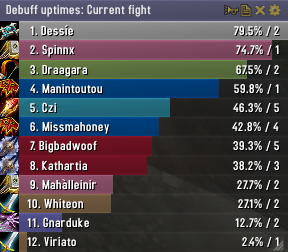
Skada Damage Meter
Skada Damage Meter
Skada is a modular damage meter for World of Warcraft with various viewing modes, segmented fights, and customizable windows. It is designed for efficiency with minimal memory and CPU impact.
"Skada" is Swedish for "Damage".
Midnight Edition (WoW 12.0+)
This version of Skada is updated for World of Warcraft: Midnight and uses Blizzard's new session-based combat systems.
Features
- Midnight Optimized: Uses Blizzard's internal session data for performance and accuracy.
- Combat Reliability: Handles modern combat data restrictions for a stable experience.
- Updated UI: Includes new presets with smooth animations, gradients, and textures.
- Dynamic Elements: Alternating row colors, highlight overlays, spark effects, and icon scaling.
- LDB Integration: Compatible with Data Broker displays such as Titan Panel, ChocolateBar, and ElvUI.
- Extensible Architecture: The API allows developers to create additional plugins.
Usage
Getting Started
A default window is created upon first load. Access the configuration menu by clicking the cog icon on the window title bar or via the minimap button. Select Configure to access settings.
Multiple Windows
Skada supports multiple windows. Create new ones under the Windows section of the configuration panel. Windows can be:
- Bar: The standard customizable meter.
- Inline: A horizontal line for custom UI setups.
- Data Text: For LDB displays and minimal setups.
Navigation
- Left-Click: View more detailed information.
- Right-Click: Return to the previous view.
- Mousewheel: Scroll through lists.
- Tooltips: Hover over bars to see additional context and shortcut keys (e.g., Shift-click for targets).
Themes
Manage window designs with the built-in Theme Engine. You can import and export themes by using theme strings.
Versions
- Midnight (Default): For WoW 12.0+ using the Native API.
- Classic Version: The version for older WoW releases.
Support
If you find Skada helpful, consider supporting its development through GitHub Sponsors.
Links
Comments


-

zarnivoop Owner
-
View User Profile
-
Send Message
Posted Mar 21, 2010Skada seems to differ from Recount by a large margin. Is there a setting i need to make?
-
View User Profile
-
Send Message
Posted Mar 19, 2010-
View User Profile
-
Send Message
Posted Mar 28, 2010-
View User Profile
-
Send Message
Posted Mar 28, 2010-
View User Profile
-
Send Message
Posted Mar 18, 2010-
View User Profile
-
Send Message
Posted Apr 27, 2010-
View User Profile
-
Send Message
Posted Mar 14, 2010-
View User Profile
-
Send Message
Posted Mar 12, 2010My main is a warlock and have a pet all the time. Skada Threat fires off constantly, so I turned it off when solo. However even in a 5-man, the flash/sound happens all the time - like's it's monitoring threat against my pet instead of the rest of the party. Is there a setting that fixes this? I had to disable all threat warnings as it got annoying.
Thanks!
-
View User Profile
-
Send Message
Posted Mar 12, 2010-
View User Profile
-
Send Message
Posted Mar 11, 2010-
View User Profile
-
Send Message
Posted Mar 8, 2010When set to reverse bar growth during a fight I have to scroll up to see the 1st, 2nd, 3rd.... people which really isn't convenient. Can this be changed so that it displays properly with the lowest people out of sight?
Thanks :)
-
View User Profile
-
Send Message
Posted Mar 7, 2010I have two skada windows: dps and threat and would like to manualy toggle only one of them. Right now if I click toggle on either of the two windows both dissapear.
Can only one window toggle can be achieved?
-
View User Profile
-
Send Message
Posted Mar 7, 2010-See death logs for more than the just the last death in an encounter.
-See the over-healing breakdown to which targets and with which heals.
Also...when you set any of your Skada windows to extend upwards rather than downwards, the scrolling is a bit inverted. If you are scrolling upwards with your mouse, you should still be scrolling upwards visually rather than down.
Other than these minor issues, I recommend this AddOn to my guildmates due to the light code and it doesn't have that horrid AddOn channel spam that Recount does (the spam you have to type /recount sync to turn off). OFC if fixing any of the above-mentioned issues would cause the AddOn to run too much system resources, then I can live without them. Skada's light-weight memory usage is where it shines.
-
View User Profile
-
Send Message
Posted Mar 6, 2010I can try to show other info with the window that is not working, but they show blank(no entries) too.
Any idea why? I'm more than willing to test the issue if you tell me how I can.
-
View User Profile
-
Send Message
Posted Mar 6, 2010I want to use this awesome addon as an replacement for Omen.
A "Hide out of combat"/"Show in combat only" option (for each window) is the only thing i am missing.
-
View User Profile
-
Send Message
Posted Apr 29, 2010-
View User Profile
-
Send Message
Posted Mar 6, 2010I have the same problem as Misanagi. I also tried to disable all other addons and still get errors, closing the WoW client. At some point i was in ICC25 and couldn't even login anymore until i disabled Skada completely. I think it somehow corrupts the saved data, so if i delete all skada files it's resolved temporarily. I LOVE this addon and i'd really like to keep using it, but for that i'd have to see this stability issue resolved.
-
View User Profile
-
Send Message
Posted Mar 5, 2010So I loaded Recount on my machine did a OOM run on a practice dummy with no pets and checked both detailed damage reports line by line and noticed that there was no DOT damage listed in the Skada report. The initial difference was 1.2k, after factoring the DOT damage it was only a difference of about 250dps which is a heck of a lot better.
I LOVE Skada and DO NOT want to go back to the Omen/Recount combo I had before. Please fix this, or tell me what setting to change.
-
View User Profile
-
Send Message
Posted Mar 9, 2010-
View User Profile
-
Send Message
Posted Feb 27, 2010Could you please fix one minor issue:
When I toogle on "Reverse bar growth", the title bar is at the bottom, which is fine, but by default it shows up the last 10 records, which should rather be the first 10.
The mousewheel scrolling is also inverted with this option activated.
Thanks in advance. ;)