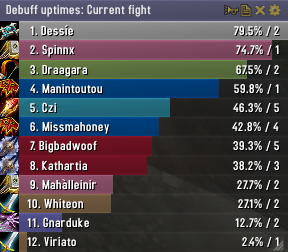
Skada Damage Meter
Skada Damage Meter
Skada is a modular damage meter for World of Warcraft with various viewing modes, segmented fights, and customizable windows. It is designed for efficiency with minimal memory and CPU impact.
"Skada" is Swedish for "Damage".
Midnight Edition (WoW 12.0+)
This version of Skada is updated for World of Warcraft: Midnight and uses Blizzard's new session-based combat systems.
Features
- Midnight Optimized: Uses Blizzard's internal session data for performance and accuracy.
- Combat Reliability: Handles modern combat data restrictions for a stable experience.
- Updated UI: Includes new presets with smooth animations, gradients, and textures.
- Dynamic Elements: Alternating row colors, highlight overlays, spark effects, and icon scaling.
- LDB Integration: Compatible with Data Broker displays such as Titan Panel, ChocolateBar, and ElvUI.
- Extensible Architecture: The API allows developers to create additional plugins.
Usage
Getting Started
A default window is created upon first load. Access the configuration menu by clicking the cog icon on the window title bar or via the minimap button. Select Configure to access settings.
Multiple Windows
Skada supports multiple windows. Create new ones under the Windows section of the configuration panel. Windows can be:
- Bar: The standard customizable meter.
- Inline: A horizontal line for custom UI setups.
- Data Text: For LDB displays and minimal setups.
Navigation
- Left-Click: View more detailed information.
- Right-Click: Return to the previous view.
- Mousewheel: Scroll through lists.
- Tooltips: Hover over bars to see additional context and shortcut keys (e.g., Shift-click for targets).
Themes
Manage window designs with the built-in Theme Engine. You can import and export themes by using theme strings.
Versions
- Midnight (Default): For WoW 12.0+ using the Native API.
- Classic Version: The version for older WoW releases.
Support
If you find Skada helpful, consider supporting its development through GitHub Sponsors.
Links
Comments


-

zarnivoop Owner
-
View User Profile
-
Send Message
Posted Jan 15, 2010Thanks
-
View User Profile
-
Send Message
Posted Jan 16, 2010http://i49.tinypic.com/2u8b2f7.png
and not here:
http://i45.tinypic.com/j0kydl.png
please fix it :)
-
View User Profile
-
Send Message
Posted Jan 13, 2010Any way to merge his damage with mine?
-
View User Profile
-
Send Message
Posted Jan 13, 2010It's possible in future version to implemented à function for wisp the stats to à tageted player without entering this name ?
Just à function same as recount "whisper to the target"
Thanks !
-
View User Profile
-
Send Message
Posted Jan 11, 2010-
View User Profile
-
Send Message
Posted Jan 14, 2010I used to have that sound clip (in the form of a script) built into my macro to pop all cooldowns/pots/trinkets.
-
View User Profile
-
Send Message
Posted Jun 24, 2010-
View User Profile
-
Send Message
Posted Jan 14, 2010-
View User Profile
-
Send Message
Posted Jan 10, 2010-
View User Profile
-
Send Message
Posted Jan 9, 2010i've got a small issue with skada atm.
i have an own addon for my wow startup to clean up the interface (hide some frames and reposition them etc.)
i've got 2 skada windows (skada + threat), and wanna hide the threat frame until i'm in combat (that's no problem ofc), but on first login (or /reloadui) when "PLAYER_LOGIN" or "PLAYER_ENTERING_WORLD" fires my threat window always show.
i tried a debug line for my SkadaBarWindowThreat:Hide() function and both start up on player_login + player_entering_world and trying to hide the frame, still it shows up.
any clues?
-
View User Profile
-
Send Message
Posted Jan 7, 2010-
View User Profile
-
Send Message
Posted Jan 8, 2010-
View User Profile
-
Send Message
Posted Jan 7, 2010However i have a question to the author, and i was wondering if he can help me out.
In my guild we are using a custom addon, that gives us build-in channels(among other things) that you cannot see them otherwise. In a few words, you can see these custom channels only if you use the guild's addon.
I was wondering, if it is possible to add custom channels, when i report the data that comes from Skada, and if yes, how.
Thanks in advance.
-
View User Profile
-
Send Message
Posted Jan 6, 2010-
View User Profile
-
Send Message
Posted Jan 6, 2010--Bug: when trying to access one of the options in the Dewdrop-like right-click menu out of combat (either from the LDB feed or via the "gear" icon on the title bar):
["message"] = "Skada-r287\\Skada.lua:308: attempt to index local 'mode' (a nil value)\nSkada-r287\\Skada.lua:326: in function `click'\nSkada-r287\\BarDisplay.lua:99: in function <Interface\\AddOns\\Skada\\BarDisplay.lua:91>\nSkada-r287\\BarDisplay.lua:227: in function <Interface\\AddOns\\Skada\\BarDisplay.lua:227>\n\nLocals:|r\nwin =
["type"] = "error",
["session"] = 349,
["counter"] = 1,
}, -- [149]
Occurred once in the session, did not repeat. But the same error as the above has occurred regularly when accessing things through the options tooltip (deleting fight segments to make the tooltip smaller, etc.). So it was not a once-off problem.
--Problem: after setting the maximum fight segments retained to 30, went into the Dewdrop-like menu to try to select one of them after combat. Only the first 10 or so segments were selectable, all the rest under the first 10 or so were grayed-out and not selectable.
--Design issue 1: relating to the above, when that Dewdrop-like tooltip gets to be too large (as can happen when you choose to retain a large number of fight segments), it can become very difficult to access selections at the top (or bottom) of the tooltip. That is, until you move the LDB display or Skada title bar someplace else on your screen. Which is often a big hassle.
For example, have the Skada title bar sitting at the center-right of your screen, with a LDB display feed for it in the to the top-right-center of your screen. In both cases when the tooltip is displayed with 30 fight segments, it extends and is cut off at the top of the screen. The selections at the top of the tooltip become become inaccessible.
Thus you cannot choose "Damage" or similar from the selections near the top of the tooltip until you move one of the tooltip-spawners (title bar or LDB display) someplace on your screen where the tooltip is able to be displayed completely. Again, a hassle.
To fix this (other than completely redesigning where to put those options), should add a scrollbar to the tooltip when someone chooses other than the default number of fight segments to show. As, for example, Broker_HitCrit has.
--Design issue 2: The Absorbs and the Absorbs & Healing meters are great.
One thing that is not as great as it could be, though. Unlike Recount and the rest of the meters in Skada is the lack of a "xPS" measure for those meters on the right of the bars. They only measure total absorbs/absorbs+healing. Would be nice to see a "xPS" measure as well for Absorbs and Absorbs & Healing.
-
View User Profile
-
Send Message
Posted Jan 6, 2010-
View User Profile
-
Send Message
Posted Jan 4, 2010Not sure if it works the same way for Feign Death, but it definitely poses a problem for rogues.
-
View User Profile
-
Send Message
Posted Jan 4, 2010I have a single window set up to show DPS out of combat and switch to Threat otherwise.
Since vanishing removes a rogue from the threat list, could it be that the described behaviour takes place only in this configuration?
I will try to test it some time shortly.
-
View User Profile
-
Send Message
Posted Jan 4, 2010- get pet/trap/snakes/firely/fart damage off my meters (put them with their owners)
- When swapping between threat and damage/dps/healing/whatever, and you are in "grow up" configuration, have the meters display the top of the list, not the bottom.
-
View User Profile
-
Send Message
Posted Jan 3, 2010My favorite things:
- It fits perfectly with my UI, unlike Recount. I had to manually go into the Lua code of recount and reprogram it to work with my current UI.
- I've yet to see it anywhere near Recount's memory usage.
- Far more intuitive menu navigation.
However, when I tried to link the damage in chat today, I was a bit embarrassed. When I typed /skada report, it displayed the damage from the current fight. I tried to use the "mode" option by typing in "Overall," "Total," etc., but I couldn't figure it out. Because of the way I have my UI set up, I chose not to show the title bar, which means I'd use the slash command - yet I can't seem to make it work. Am I doing something wrong here?