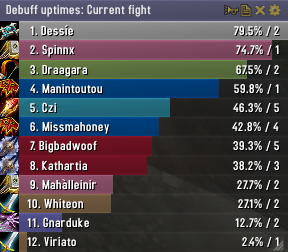
Skada Damage Meter
Skada Damage Meter
Skada is a modular damage meter for World of Warcraft with various viewing modes, segmented fights, and customizable windows. It is designed for efficiency with minimal memory and CPU impact.
"Skada" is Swedish for "Damage".
Midnight Edition (WoW 12.0+)
This version of Skada is updated for World of Warcraft: Midnight and uses Blizzard's new session-based combat systems.
Features
- Midnight Optimized: Uses Blizzard's internal session data for performance and accuracy.
- Combat Reliability: Handles modern combat data restrictions for a stable experience.
- Updated UI: Includes new presets with smooth animations, gradients, and textures.
- Dynamic Elements: Alternating row colors, highlight overlays, spark effects, and icon scaling.
- LDB Integration: Compatible with Data Broker displays such as Titan Panel, ChocolateBar, and ElvUI.
- Extensible Architecture: The API allows developers to create additional plugins.
Usage
Getting Started
A default window is created upon first load. Access the configuration menu by clicking the cog icon on the window title bar or via the minimap button. Select Configure to access settings.
Multiple Windows
Skada supports multiple windows. Create new ones under the Windows section of the configuration panel. Windows can be:
- Bar: The standard customizable meter.
- Inline: A horizontal line for custom UI setups.
- Data Text: For LDB displays and minimal setups.
Navigation
- Left-Click: View more detailed information.
- Right-Click: Return to the previous view.
- Mousewheel: Scroll through lists.
- Tooltips: Hover over bars to see additional context and shortcut keys (e.g., Shift-click for targets).
Themes
Manage window designs with the built-in Theme Engine. You can import and export themes by using theme strings.
Versions
- Midnight (Default): For WoW 12.0+ using the Native API.
- Classic Version: The version for older WoW releases.
Support
If you find Skada helpful, consider supporting its development through GitHub Sponsors.
Links
Comments


-

zarnivoop Owner
-
View User Profile
-
Send Message
Posted Nov 15, 2023In reply to BloodyFess:
Can confirm the class color bug appears to have been an issue on Blizzard's end, that they have now hotfixed.
-
View User Profile
-
Send Message
Posted Nov 13, 2023Hy, i know this Project is kinda "abandoned" but i use it since forever and since the last Patch i got an "error".
Something messed up the Colorization of the Bars. Causing 2 Lua Errors.
Maybe some genius can fix this or update this addon so it goes back to working.
Thank you very much :)
-
View User Profile
-
Send Message
Posted Nov 12, 2023In reply to BloodyFess: Came here to mention the same problem with the class colors.
-
View User Profile
-
Send Message
Posted Jul 11, 2023yo is there a chance for an update for 10.1.5 ??? tyty
-
View User Profile
-
Send Message
Posted Jul 12, 2023I probably won't be updating this anymore, but you can check out Skada Revisited, which I've been told works well
-
View User Profile
-
Send Message
Posted Jul 17, 2023In reply to nebula169:
tyvm.
-
View User Profile
-
Send Message
Posted May 21, 2023When i go to update gear while in loam it pops up a UI error and it asks me to disable the addon. i have to reload UI every time this happens
-
View User Profile
-
Send Message
Posted May 2, 2023Hi, is there a chance to get an update for 10.1 ? thanks in advance
-
View User Profile
-
Send Message
Posted Apr 10, 2023Listed as "out-of-date" Likely just needs a .toc update to 10.0.7?
-
View User Profile
-
Send Message
Posted Apr 8, 2023Skada doesn't work when using the Training Dummies, could this be made to work perhaps? Other damage meter type addons work fine against the target dummies, I don't particularly want to move to something else.
-
View User Profile
-
Send Message
Posted Nov 23, 2022Hi There,
Does this latest update mean that Skada is being supported again ?
-
View User Profile
-
Send Message
Posted Nov 18, 2022Thanks for the update!
-
View User Profile
-
Send Message
Posted Nov 17, 2022Most demon hunters will spec into Fodder of the Flame where Throw Glaive instantly kills the demon that spawns which has alot of health and therefore does alot of damage thus skewing the results in the damage meter as Throw Glaive being the highest damage ability on the list.
Details! as far as I know doesn't count this
-
View User Profile
-
Send Message
Posted Nov 7, 2022Why is this addon not being updated through here anymore and just through github?
-
View User Profile
-
Send Message
Posted Oct 29, 2022How to choose between addon "SkadaFriendlyFire" (which is mentioned in Skada description on this page, and also exists on CurseForge), and module "Skada\modules\FriendlyFire.lua" inside Skada itself?
Or they both should exist?
-
View User Profile
-
Send Message
Posted Oct 28, 2022Updated version with the new API changes mentioned by @MoeSys and bumped addon version.
https://github.com/eSkiSo/Skada/releases/tag/v1.8.4
-
View User Profile
-
Send Message
Posted Oct 28, 2022In reply to eSkiSo:
Thank you very much
-
View User Profile
-
Send Message
Posted Oct 29, 2022In reply to eSkiSo:
tyvm sir.
-
View User Profile
-
Send Message
Posted Nov 4, 2022In reply to eSkiSo:
Thank you for the update! I am so happy that Skada will continue to work in DF.
Can you package the .zip file on GitHub so that the folder Skada\ is included in the .zip file for the addon folders? That's how the .zip file on Curse is set up for manual downloads. That would allow me to unzip the .zip file directly to the WoW retail Addons folder (which is what I do with any other addons I install manually) instead of having to create the Skada folder myself and to into that folder to unzip the .zip file in there.
-
View User Profile
-
Send Message
Posted Nov 6, 2022thanks