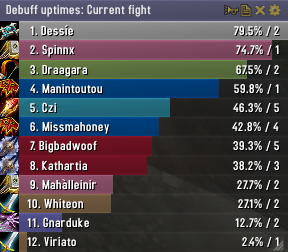
Skada Damage Meter
Skada Damage Meter
Skada is a modular damage meter for World of Warcraft with various viewing modes, segmented fights, and customizable windows. It is designed for efficiency with minimal memory and CPU impact.
"Skada" is Swedish for "Damage".
Midnight Edition (WoW 12.0+)
This version of Skada is updated for World of Warcraft: Midnight and uses Blizzard's new session-based combat systems.
Features
- Midnight Optimized: Uses Blizzard's internal session data for performance and accuracy.
- Combat Reliability: Handles modern combat data restrictions for a stable experience.
- Updated UI: Includes new presets with smooth animations, gradients, and textures.
- Dynamic Elements: Alternating row colors, highlight overlays, spark effects, and icon scaling.
- LDB Integration: Compatible with Data Broker displays such as Titan Panel, ChocolateBar, and ElvUI.
- Extensible Architecture: The API allows developers to create additional plugins.
Usage
Getting Started
A default window is created upon first load. Access the configuration menu by clicking the cog icon on the window title bar or via the minimap button. Select Configure to access settings.
Multiple Windows
Skada supports multiple windows. Create new ones under the Windows section of the configuration panel. Windows can be:
- Bar: The standard customizable meter.
- Inline: A horizontal line for custom UI setups.
- Data Text: For LDB displays and minimal setups.
Navigation
- Left-Click: View more detailed information.
- Right-Click: Return to the previous view.
- Mousewheel: Scroll through lists.
- Tooltips: Hover over bars to see additional context and shortcut keys (e.g., Shift-click for targets).
Themes
Manage window designs with the built-in Theme Engine. You can import and export themes by using theme strings.
Versions
- Midnight (Default): For WoW 12.0+ using the Native API.
- Classic Version: The version for older WoW releases.
Support
If you find Skada helpful, consider supporting its development through GitHub Sponsors.
Links
Comments


-

zarnivoop Owner
-
View User Profile
-
Send Message
Posted Aug 24, 2016GBoM still nto working. There is difference between logs and Skada showings. This could be caused by more than one retribution in raid
-
View User Profile
-
Send Message
Posted Aug 20, 2016I've not used Skada for a couple of weeks. Is it still showing the "Void Tendrils" damage from the Touch of the Void heirloom trinket as a separate entity for other players? (It should be combining it as pet damage but this only happens for the user, and not other party members.)
-
View User Profile
-
Send Message
Posted Aug 20, 2016damage, which i given with stormlash is recorded as damage from my teammates, can u make it for my damage, pls?(shaman ench) Stormlash is increasing damage from mine attacks and 1-2 teammates attacks, stormlash damage from my attacks are recording as my damage, but stormlash damage from their attacks are recording as their damage... BUT IT ISN'T their damage((( Fix pls
-
View User Profile
-
Send Message
Posted Aug 20, 2016If you are using a recent version, this should be fixed. However, it is a bit experimental still. Same goes for Greater Blessing of Might.
-
View User Profile
-
Send Message
Posted Aug 20, 2016Oh, thx you so much!
-
View User Profile
-
Send Message
Posted Aug 20, 2016Seems to be working now!
However, when linking to damaging abilities, when posting damaging abilities to a chat, it says that Templar's Verdict has a 100 Yard range.
-
View User Profile
-
Send Message
Posted Aug 20, 2016Small bug fix for Right to Left orientation.
When changing bar orientation to Right to Left the Class icons are pushed outside of the Skada frame.
-
View User Profile
-
Send Message
Posted Aug 20, 2016Cheers - fixed. Also reverse growth.
-
View User Profile
-
Send Message
Posted Aug 21, 2016Thanks, looks heaps better now.
-
View User Profile
-
Send Message
Posted Aug 19, 2016Cant see the option to change the title bar color currently stuck on orange what happen title bar color change. Title color stays stuck on white too http://imgur.com/a/s8kTX
-
View User Profile
-
Send Message
Posted Aug 19, 2016Love to see smite for disc priests count as healing. As of right now, skada correctly counts it for atonement healing but smite also places an absorb debuf on the boss which prevents 100% of smite's damage from even going out.
-
View User Profile
-
Send Message
Posted Aug 19, 2016Thanks. Yeah, I set the border thickness to zero (the small inner border seems to be made by Skinner, which is how I liked the border), and the "bar font size" seemed to increase from 12 to 13 for some reason after the update, which was weird, but seems to be fixed.
-
View User Profile
-
Send Message
Posted Aug 19, 2016@DarkLimpan
Is that tiny inner border made by another addon? If so, just disable Skada's own border in the window settings. Set border thickness to zero.
-
View User Profile
-
Send Message
Posted Aug 19, 2016My settings were changed as well with the r642 update. How do I make it look like it used to, but with the latest version?
http://i.imgur.com/0EoRbyD.jpg - r641 http://i.imgur.com/VEUdpDJ.jpg - r642
-
View User Profile
-
Send Message
Posted Aug 18, 2016skada is not reporting any starfall damage on my balance druid
-
View User Profile
-
Send Message
Posted Aug 17, 2016Hi, has the addon been updated to support the Demon Hunter icon yet or is my addon borked?
-
View User Profile
-
Send Message
Posted Aug 15, 2016LAst update adding black barks on the top and left side and no way to remove em.
-
View User Profile
-
Send Message
Posted Aug 16, 2016You can disable the border in the Skada window's configuration window.
-
View User Profile
-
Send Message
Posted Aug 16, 2016I wish a fix for this as well!
-
View User Profile
-
Send Message
Posted Aug 15, 2016The mouseover bar tooltip gets stuck for me all the time.