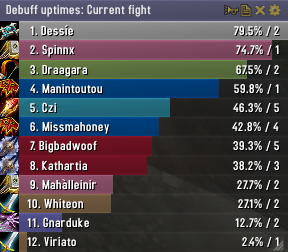
Skada Damage Meter
Skada Damage Meter
Skada is a modular damage meter for World of Warcraft with various viewing modes, segmented fights, and customizable windows. It is designed for efficiency with minimal memory and CPU impact.
"Skada" is Swedish for "Damage".
Midnight Edition (WoW 12.0+)
This version of Skada is updated for World of Warcraft: Midnight and uses Blizzard's new session-based combat systems.
Features
- Midnight Optimized: Uses Blizzard's internal session data for performance and accuracy.
- Combat Reliability: Handles modern combat data restrictions for a stable experience.
- Updated UI: Includes new presets with smooth animations, gradients, and textures.
- Dynamic Elements: Alternating row colors, highlight overlays, spark effects, and icon scaling.
- LDB Integration: Compatible with Data Broker displays such as Titan Panel, ChocolateBar, and ElvUI.
- Extensible Architecture: The API allows developers to create additional plugins.
Usage
Getting Started
A default window is created upon first load. Access the configuration menu by clicking the cog icon on the window title bar or via the minimap button. Select Configure to access settings.
Multiple Windows
Skada supports multiple windows. Create new ones under the Windows section of the configuration panel. Windows can be:
- Bar: The standard customizable meter.
- Inline: A horizontal line for custom UI setups.
- Data Text: For LDB displays and minimal setups.
Navigation
- Left-Click: View more detailed information.
- Right-Click: Return to the previous view.
- Mousewheel: Scroll through lists.
- Tooltips: Hover over bars to see additional context and shortcut keys (e.g., Shift-click for targets).
Themes
Manage window designs with the built-in Theme Engine. You can import and export themes by using theme strings.
Versions
- Midnight (Default): For WoW 12.0+ using the Native API.
- Classic Version: The version for older WoW releases.
Support
If you find Skada helpful, consider supporting its development through GitHub Sponsors.
Links
Comments


-

zarnivoop Owner
-
View User Profile
-
Send Message
Posted Mar 16, 2015Yes, there is, in the addon's configuration window.
-
View User Profile
-
Send Message
Posted Apr 25, 2015where? I have looked through the settings
-
View User Profile
-
Send Message
Posted Mar 1, 2015Im trying to test my threat on a training dummy but skada disables threat logging. Omen does the same so i cant check my threat using a target dummy. Any idea how I can switch on threat logging on target dummies?
Thanks for any help
-
View User Profile
-
Send Message
Posted Feb 28, 2015-
View User Profile
-
Send Message
Posted Feb 28, 2015I have the same issue since the patch, Skada no longer shortens player names and instead throws the name underneath which looks pretty terrible and makes it confusing to read.
-
View User Profile
-
Send Message
Posted Feb 28, 2015Same issue, bump
-
View User Profile
-
Send Message
Posted Feb 28, 2015Same problem here.
-
View User Profile
-
Send Message
Posted Mar 1, 2015Also happening to me, using SVUI and docking it.
-
View User Profile
-
Send Message
Posted Feb 28, 2015I'm having some trouble with the formatting in the lines inside of the bars. It seems to be trying to put the name under the number, like:
1. So-and-so X.xxM (XX.xk, X.x%)
2. X.xxM (XX.xk, X.x%)
Whoever
3. etc.etc.
It doesn't show up perfectly there, but it acts like it's trying to avoid truncating the names and using "..." after them, and just dropping them to the second line inside the same bar, but it ends up looking really messed up.
-
View User Profile
-
Send Message
Posted Mar 13, 2015Didn't work for me...
-
View User Profile
-
Send Message
Posted Mar 10, 2015Fix for right now: open bardisplay.lua
Line 58:
window.bargroup.button:GetFontString():SetPoint("LEFT", window.bargroup.button, "LEFT", 5, 1)
Right above that, put this:
window.bargroup.button:GetFontString():SetWordWrap(false)
The above fixes the title bar. I believe the next bit fixes the bars within the window.
Line 457:bar:SetScript("OnSizeChanged",BarResize) -- ticket 365: required to resize bgtexture
Insert this line above that:
bar:SetWordWrap(false)
-
View User Profile
-
Send Message
Posted Mar 14, 2015Same issue, came here just to report this. Players name aren't shortened anymore and they take two lines, making everything seems out of place. Looks very ugly. Is there a possible fix in the works? Thanks!
-
View User Profile
-
Send Message
Posted Feb 26, 2015Is it possible to keep logs for every fight? Like last 3 fights or something.
-
View User Profile
-
Send Message
Posted Feb 26, 2015Sometimes my skada mysteriously dissapears, refuses to come back up untill i reload, even clicking the minimap button wont bring it back up, no errors found.
It is a custom skada window and i deleted the original.
Using dbm(and expansion add's), bartender4, auctionator, atlasloot, ackis, postal, sexymap, acheivments reminder and master plan.
Everything is set to be updated to the latest Alpha and everything is fully updated, has been happening since 6.1
-
View User Profile
-
Send Message
Posted Feb 24, 2015tet seems to be all over with patch 6.1
-
View User Profile
-
Send Message
Posted Feb 20, 2015The "hide in combat" and "hide when solo" options do not play well together, since with "hide in combat" on, the window appears when combat ends even if you're ungrouped and have "hide when solo" on too.
I know the Curse description says that bug reports should go to WowAce and not here, but there's already a 5-year-old unaddressed ticket for the issue (http://www.wowace.com/addons/skada/tickets/120-window-appears-after-combat-even-though-it-is-set-to/), so I didn't want to make a duplicate one.
It's an easy fix: add "and not (self.db.profile.hidesolo and not IsInGroup())" to Skada.lua:1385.
I've made the change locally and it works perfectly, but it'd be nice not to have to make it again with each update.
Thanks in advance!
-
View User Profile
-
Send Message
Posted Feb 25, 2015I think u just need to make your window the size u want it to be
-
View User Profile
-
Send Message
Posted Feb 25, 2015When I do that, it only makes the window bigeer or smaller. The same number of bars (7) appear. Creatling a new window, I get several more bars, but don't see anywhere to change the number of bars visible there either.
-
View User Profile
-
Send Message
Posted Feb 19, 2015Anyone know how to change the max number of bars dispayed? I can't find the option.
-
View User Profile
-
Send Message
Posted Mar 27, 2015I figured it out. If the window is unlocked, there is a drag icon in one of the corners. It's hard to see depending on your coloring.