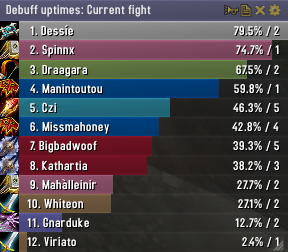
Skada Damage Meter
Skada Damage Meter
Skada is a modular damage meter for World of Warcraft with various viewing modes, segmented fights, and customizable windows. It is designed for efficiency with minimal memory and CPU impact.
"Skada" is Swedish for "Damage".
Midnight Edition (WoW 12.0+)
This version of Skada is updated for World of Warcraft: Midnight and uses Blizzard's new session-based combat systems.
Features
- Midnight Optimized: Uses Blizzard's internal session data for performance and accuracy.
- Combat Reliability: Handles modern combat data restrictions for a stable experience.
- Updated UI: Includes new presets with smooth animations, gradients, and textures.
- Dynamic Elements: Alternating row colors, highlight overlays, spark effects, and icon scaling.
- LDB Integration: Compatible with Data Broker displays such as Titan Panel, ChocolateBar, and ElvUI.
- Extensible Architecture: The API allows developers to create additional plugins.
Usage
Getting Started
A default window is created upon first load. Access the configuration menu by clicking the cog icon on the window title bar or via the minimap button. Select Configure to access settings.
Multiple Windows
Skada supports multiple windows. Create new ones under the Windows section of the configuration panel. Windows can be:
- Bar: The standard customizable meter.
- Inline: A horizontal line for custom UI setups.
- Data Text: For LDB displays and minimal setups.
Navigation
- Left-Click: View more detailed information.
- Right-Click: Return to the previous view.
- Mousewheel: Scroll through lists.
- Tooltips: Hover over bars to see additional context and shortcut keys (e.g., Shift-click for targets).
Themes
Manage window designs with the built-in Theme Engine. You can import and export themes by using theme strings.
Versions
- Midnight (Default): For WoW 12.0+ using the Native API.
- Classic Version: The version for older WoW releases.
Support
If you find Skada helpful, consider supporting its development through GitHub Sponsors.
Links
Comments


-

zarnivoop Owner
-
View User Profile
-
Send Message
Posted May 31, 2014Hey, thanks for the great addon! I have been using it pretty much since it came out. One thing that my guildies and I have been noticing for about the last week is that the meters seem to be reading wrong. I started checking to see who was using recount vs skada and everyone using skada had some very odd meter readings. We noticed it mostly when we were doing Garrosh 25. For example...It was showing everyones dps at around 90-100k dps, and healing meters we would have everyone around 80-100k hps. When we compared to people using recount, the meters were correct. Is there any specific info I can submit to help figure out what the problem is? Thanks again!
-
View User Profile
-
Send Message
Posted Jun 3, 2014This bug is now fixed in addon version 1.4-19.
Thanks to all for your patience and help in tracking this down.
-
View User Profile
-
Send Message
Posted Jun 6, 2014Just updated skada. Thanks! My guild will be killing Garrosh tonight and I will let you know if everything worked out.
-
View User Profile
-
Send Message
Posted May 29, 2014Hi, I've been using skada for years and I love the addon... But I noticed something a touch worrying...
Whils't I've just started playing a fire mage it does not track damage properly...
Pyroblast hits the target and leaves a LARGE dot on the target... Now Skada only shows the initial hits and the first 3 ticks of pyroblast... leaving out a HUGE portion of our dps if we are unlucky with procs.
Normally, the dot doesn't "really" need to be tracked because it lasts for 17.58 seconds (in my current gear) and pyroblast it typically refreshed a lot more often than that, however, if RNG is not on ourside and we don't get to cast it - your leaving out 40k dps throughout the expiration of the dot.
-
View User Profile
-
Send Message
Posted May 29, 2014Sorry disregard this, tested against recount and it turns out WoW was putting me out of combat before the expiration of the dot. It's working fine
Skada: Pyroblast 496.7L
Recount: Pyroblast 192687 damage
Recount: Pyroblast(Dot) 304021
= 496708
Close enough :)
-
View User Profile
-
Send Message
Posted May 25, 2014Hey just recently updated my skada now i have random white floating numbers on my screen, i can move them but i can get rid of it any help on this?
-
View User Profile
-
Send Message
Posted May 25, 2014This sounds very unlikely to be caused by Skada. Try disabling all other addons.
If the problem persists, please post a ticket with complete information here:
http://www.wowace.com/addons/skada/tickets/
-
View User Profile
-
Send Message
Posted May 26, 2014Sounds like the MageNuggets addon
-
View User Profile
-
Send Message
Posted May 21, 2014Something in patch 5.4.8 (in combination with recent commits?) is giving me c-stack overflow errors on fights with many adds (nazgrim, and garrosh I've had it sofar) I /rl to clear it because it makes the game "stutter" and don't have the error unfortunately, but on BugSack tooltip I caught Skada.
I'll try to post a proper ticket when I have an error trace.
-
View User Profile
-
Send Message
Posted May 18, 2014For those having a problem with the Skada window popping up when you leave combat despite having it untoggled: Do NOT select "Hide in combat". If you do not have it selected, Skada will remain hidden as intended until you choose to display it.
Same goes for "Hide when solo" if you don't want it displaying whenever you enter or leave a group despite having it hidden in the first place.
There really ought to be an option that isn't confusing to people who want to just have the window display when manually toggled.
-
View User Profile
-
Send Message
Posted May 16, 2014Hi! I adore Skada =)
Strange thing, though: I seem to have lost the Healing and Absorbs column. All I can see is Healing now. I tried deleting all of the folders and reinstalling just the Damage meter, but that didn't help.
As a Disc Priest and Holy Pally absorbs are my bread and butter -- I'm lost without seeing how they stack up.
Help pretty please =)
-
View User Profile
-
Send Message
Posted May 16, 2014SkadaHealAbsorbs is a separate third-party module, which is now abandoned.
The built-in Skada Healing module includes full support for absorbs (and has for a long time).
-
View User Profile
-
Send Message
Posted May 17, 2014Thanks =)
-
View User Profile
-
Send Message
Posted May 16, 2014Important upgrade note to users:
Starting in addon version 1.4-16 (released May 15th) the directory structure of Skada's built-in modules has changed. The modules packaged with Skada no longer appear as separate addons in your Blizzard addon configuration nor as separate directories in your Interface/Addons directory. Instead they are now all contained within the Skada/ directory and the module loading is controlled in-game via a new panel in the addon configuration.
If you upgrade from an old version of Skada using Curse Client, it *should* be smart enough to delete the obsolete folders from your Interface/Addons directory (but it's worth verifying). If you update Skada manually (ie via zip file) then you will need to open your Interface/Addons directory and delete the following folders:
SkadaCC
SkadaDamage
SkadaDamageTaken
SkadaDeaths
SkadaDebuffs
SkadaDispels
SkadaEnemies
SkadaHealing
SkadaPower
SkadaThreat
The new version of Skada will NOT work correctly while these old module folders remain.
Third-party Skada modules (those not packaged with Skada) are still installed in the top-level Addons directory and still operate exactly the same as before.
-
View User Profile
-
Send Message
Posted May 19, 2014Sweet! Thanks for the quick response on this.
-
View User Profile
-
Send Message
Posted May 18, 2014Fixed in r541.
-
View User Profile
-
Send Message
Posted May 16, 2014Can you please fix the issue with Skada reverting to Total Damage between logins?
I actually abandoned Skada because of it a while back, but decided to give it another shot because I miss some of the good functionality it packs. I removed all the Skada saved settings lua files from all account subdirectories for my characters, re-configured it from scratch, and for a week or two, it behaved like expected, until now, when I always upon logging in have to switch it back to Current Fight on all my characters. It's quite an annoyance to be honest.
If you need help with troubleshooting it, just tell me what to do to provide useful feedback.
-
View User Profile
-
Send Message
Posted May 15, 2014Maybe i am just blind, but how do i see wich player does dmg to a specific npc (like Desecrated Weapon)? Cant find that
-
View User Profile
-
Send Message
Posted May 15, 2014Use the "Enemy Damage Taken" mode and select your NPC.
-
View User Profile
-
Send Message
Posted May 13, 2014Simple Request: Add so that it shows Name-Realm on the list when you mousehover the name, Not in the list itself, bu t when you mousehover them.......so that you could see the realm of the person you competed with for example if it was on ordos or Flex or even the new normals/heroics now are cross-realms, other dmg meter addons has this feature, but it happened nomurous times that some guy did insane dmg then left the group and I mouse hover him and can't find out which realm he was from.