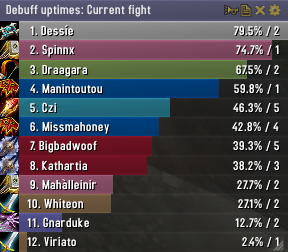
Skada Damage Meter
Skada Damage Meter
Skada is a modular damage meter for World of Warcraft with various viewing modes, segmented fights, and customizable windows. It is designed for efficiency with minimal memory and CPU impact.
"Skada" is Swedish for "Damage".
Midnight Edition (WoW 12.0+)
This version of Skada is updated for World of Warcraft: Midnight and uses Blizzard's new session-based combat systems.
Features
- Midnight Optimized: Uses Blizzard's internal session data for performance and accuracy.
- Combat Reliability: Handles modern combat data restrictions for a stable experience.
- Updated UI: Includes new presets with smooth animations, gradients, and textures.
- Dynamic Elements: Alternating row colors, highlight overlays, spark effects, and icon scaling.
- LDB Integration: Compatible with Data Broker displays such as Titan Panel, ChocolateBar, and ElvUI.
- Extensible Architecture: The API allows developers to create additional plugins.
Usage
Getting Started
A default window is created upon first load. Access the configuration menu by clicking the cog icon on the window title bar or via the minimap button. Select Configure to access settings.
Multiple Windows
Skada supports multiple windows. Create new ones under the Windows section of the configuration panel. Windows can be:
- Bar: The standard customizable meter.
- Inline: A horizontal line for custom UI setups.
- Data Text: For LDB displays and minimal setups.
Navigation
- Left-Click: View more detailed information.
- Right-Click: Return to the previous view.
- Mousewheel: Scroll through lists.
- Tooltips: Hover over bars to see additional context and shortcut keys (e.g., Shift-click for targets).
Themes
Manage window designs with the built-in Theme Engine. You can import and export themes by using theme strings.
Versions
- Midnight (Default): For WoW 12.0+ using the Native API.
- Classic Version: The version for older WoW releases.
Support
If you find Skada helpful, consider supporting its development through GitHub Sponsors.
Links
Comments


-

zarnivoop Owner
-
View User Profile
-
Send Message
Posted Nov 27, 2014Hi, is there any way Skada would also include absorbed damage on npc?
Neither of the following absorbs are being recorded on <Healing> Training Dummy in Garrison, while they are recorded with recount:
Power Word: Shield,
Divine Aegis,
Spirit Shell,
Clarity of Will.
-
View User Profile
-
Send Message
Posted Nov 26, 2014Hi'd love to see a role icon instead of the class icon, what do you think about it ? Could it be something you'll add in the future ?
-
View User Profile
-
Send Message
Posted Nov 24, 2014Hi there, love the damage meter, and have used it for quite a while. As others have noted below however, with 6.0 it has stopped saving boss segments. This is due to a change in GUID format, where it's now a plaintext string, not a hex string. I made the below change to my local copy, and it's saving boss segments again:
This is not the only change necessary for recognizing WoD bosses however; most of the IDs in LibBossIDs for WoD Dungeon bosses are incorrect, as were some MoP encounters. I'll have a final list of those ready in a couple days, and post it both to the LibBossIDs project page, and here if you'd like it.
Enterprising readers could update their own files by using this script:
/script print(UnitGUID("target"):sub(-16, -12))in a macro while targetting a boss, then edit Skada/lib/LibBossIDs-1.0/LibBossIDs-1.0.lua to include "[#####] = true," somwhere between line 31 and the '}' at the end, where ##### is the number that macro gave you.
-
View User Profile
-
Send Message
Posted Nov 23, 2014Been having an issue lately where Skada will not keep boss segments and only shows current fights. Once I go to the next fight the previous numbers are lost in the nether.
-
View User Profile
-
Send Message
Posted Nov 22, 2014For some reason, Skada will "disappear" when I zone into a WoD dungeon. /skada toggle does nothing, but /skada toggle a 2nd time shows it. It also does not save any boss damage (clicking on the Segment Icon only shows Total and Current options)
not sure what the issue is? Any non-WoD zone shows and keeps fine. Not sure how to maybe reset skada without deleting my whole WTF folder which I don't want to do?
-
View User Profile
-
Send Message
Posted Nov 18, 2014I've noticed that the CC Break announcements don't work anymore. Is this intentional?
-
View User Profile
-
Send Message
Posted Nov 11, 2014I was so about to type that same thing lol..
Druid mastery is Primal Tenacity is the name of it if you all needed to know
http://www.wowhead.com/spell=155784/primal-tenacity
-
View User Profile
-
Send Message
Posted Nov 3, 2014Is there anyway for skada to show the absorbs from guardians mastery, Tooth and Claw, and the Colossus weapon enchant?
-
View User Profile
-
Send Message
Posted Nov 26, 2014Would love to be able to see this info. Is there a plugin to Skada that will show it perhaps?
-
View User Profile
-
Send Message
Posted Nov 1, 2014The current version appears to be introducing a tremendous amount of lag at the start of a raid boss encounter. took me almost 5 seconds to get anythinggoing.
-
View User Profile
-
Send Message
Posted Nov 1, 2014Is there any way to inset the bars? It looks really bad when you try to put a border around the window and the bars overlap the border.
-
View User Profile
-
Send Message
Posted Oct 30, 2014Is there a way to merge Damage done and Enemy damage done together in one window?
-
View User Profile
-
Send Message
Posted Oct 26, 2014Hi. can anyone help me?
I want to write 2 macros for report damage and healing. For damage i use /skada report instance current damage 6 and its work fine.
But when i try to report healing in the same way it still reporting damage.
-
View User Profile
-
Send Message
Posted Oct 25, 2014I'm getting an error when trying to click on on-use quest tracked items with the default UI. With Skada as the only active addon, it gives the bliz blocked addon warning with any on-use item.
-
View User Profile
-
Send Message
Posted Nov 4, 2014Same issue here. No error, but with Skada disabled everything works fine. Something is blocking using quest items from the quest list.
-
View User Profile
-
Send Message
Posted Oct 22, 2014Hi there,
i got a problem with my Skada. It loads withput problems and worked on the beta realms too. But i can't get it to work on live realms after 6.0 was deployed. I can't change the display mode, it only shows "Mode" and doesn't show things like DPS, Damage, Healing and so on, thus making it useless.
Anyone can help me with this?
Greetings
-
View User Profile
-
Send Message
Posted Oct 21, 2014Hey there!
I think I've found a visual bug with the tooltip. Occasionally when you hover over any of the meters, the tooltip gets a lot bigger and covers the bottom portion of my screen.
Here's a visual of what it does: http://i.imgur.com/T3zY3UO.jpg
(Please excuse the markouts!)
It doesn't do it all the time, and seems to be random placement of your mouse when hovering over any of the bars in Skada.
Thanks so much and have a great day!
-
View User Profile
-
Send Message
Posted Oct 19, 2014Threat warning is not playing some sounds now.
-
View User Profile
-
Send Message
Posted Oct 19, 2014issue
Message: Interface\AddOns\Skada\modules\Deaths.lua:149: attempt to perform arithmetic on local 'samount' (a boolean value)
Time: 10/19/14 16:30:19
Count: 4
Stack: [C]: ?
Interface\AddOns\Skada\modules\Deaths.lua:149: in function `func'
Interface\AddOns\Skada\Skada.lua:1689: in function <Interface\AddOns\Skada\Skada.lua:1603>
Locals:
what can i do ?
deactivate the modul - doenst help
-
View User Profile
-
Send Message
Posted Oct 19, 2014Could you by any chance open a ticket on wowace (development site) and attach a combatlog for this?
Edit: never mind, found it.