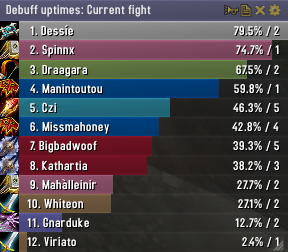
Skada Damage Meter
Skada Damage Meter
Skada is a modular damage meter for World of Warcraft with various viewing modes, segmented fights, and customizable windows. It is designed for efficiency with minimal memory and CPU impact.
"Skada" is Swedish for "Damage".
Midnight Edition (WoW 12.0+)
This version of Skada is updated for World of Warcraft: Midnight and uses Blizzard's new session-based combat systems.
Features
- Midnight Optimized: Uses Blizzard's internal session data for performance and accuracy.
- Combat Reliability: Handles modern combat data restrictions for a stable experience.
- Updated UI: Includes new presets with smooth animations, gradients, and textures.
- Dynamic Elements: Alternating row colors, highlight overlays, spark effects, and icon scaling.
- LDB Integration: Compatible with Data Broker displays such as Titan Panel, ChocolateBar, and ElvUI.
- Extensible Architecture: The API allows developers to create additional plugins.
Usage
Getting Started
A default window is created upon first load. Access the configuration menu by clicking the cog icon on the window title bar or via the minimap button. Select Configure to access settings.
Multiple Windows
Skada supports multiple windows. Create new ones under the Windows section of the configuration panel. Windows can be:
- Bar: The standard customizable meter.
- Inline: A horizontal line for custom UI setups.
- Data Text: For LDB displays and minimal setups.
Navigation
- Left-Click: View more detailed information.
- Right-Click: Return to the previous view.
- Mousewheel: Scroll through lists.
- Tooltips: Hover over bars to see additional context and shortcut keys (e.g., Shift-click for targets).
Themes
Manage window designs with the built-in Theme Engine. You can import and export themes by using theme strings.
Versions
- Midnight (Default): For WoW 12.0+ using the Native API.
- Classic Version: The version for older WoW releases.
Support
If you find Skada helpful, consider supporting its development through GitHub Sponsors.
Links
Comments


-

zarnivoop Owner
-
View User Profile
-
Send Message
Posted Sep 24, 2010Problem solved.
-
View User Profile
-
Send Message
Posted Sep 7, 2010To the mod creator: I would like to see that there is an update soon. I don't want to use recount cuz it's too intensive fer my needs, and am always looking feer a nice lite add on to try or to run that gives above add on a run fer their money.
-
View User Profile
-
Send Message
Posted Sep 2, 2010-
View User Profile
-
Send Message
Posted Sep 3, 2010Seriously dude? This guy is taking the time and effort to put this addon out for people, pretty much for free, and you're going to give him ultimatums and try to force him to make a change? If I was the author, I'd quickly tell you to take a hike. Why not instead thank the author for his/her time and effort, and politely suggest a change or upgrade for a future patch and see if they think it is useful and doable. If you don't like that idea, go learn some LUA programming and make the changes yourself.
Plus, it sounds like to me you are the one in the hot seat. You don't like using Recount because when your DPS is on there, you look like a gimp wimp, but you like your DPS on Skada...you look like your DPS is better by comparison. It sounds to me like you ***NEED*** to keep using Skada, like it or not, or put up with the griping; at least until you get better gear or learn to play your class more effectively.
-
View User Profile
-
Send Message
Posted Oct 28, 2010-
View User Profile
-
Send Message
Posted Aug 26, 2010I'm wondering if a measurement that I call rescue could be added. I think it would be important to see the healers that are saving the players close to dying. e.g. How many heals hitting when player is below 20% health. Total healing done sometimes does not paint the true picture of who is performing.
-
View User Profile
-
Send Message
Posted Aug 24, 2010-
View User Profile
-
Send Message
Posted Aug 19, 2010Always I want to report the Data I receive this Error:
2x Skada-1.2-27\Skada.lua:593: attempt to index local 'report_mode' (a nil value)
Skada-1.2-27\Skada.lua:1171: in function `OnAccept'
Interface\FrameXML\StaticPopup.lua:3473: in function `StaticPopup_OnClick':
<string>:"*:OnClick":1: in function <[string "*:OnClick"]:1>
Locals:
window = nil
---
-
View User Profile
-
Send Message
Posted Sep 3, 2010-
View User Profile
-
Send Message
Posted Aug 11, 2010help would be appreciated
-
View User Profile
-
Send Message
Posted Aug 10, 2010Any help would be appreciated.
-
View User Profile
-
Send Message
Posted Aug 3, 2010-
View User Profile
-
Send Message
Posted Aug 1, 2010-
View User Profile
-
Send Message
Posted Jul 31, 2010-
View User Profile
-
Send Message
Posted Jul 30, 2010-
View User Profile
-
Send Message
Posted Jul 30, 2010-
View User Profile
-
Send Message
Posted Jul 29, 2010-
View User Profile
-
Send Message
Posted Oct 14, 2010http://www.wowace.com/addons/skada/tickets/93-damage-healing-caused-by-pets-of-pets-of-pets/
I've applied this change to the most recent release of SKADA 1.2-29 successfully.
Repaste of code change for people too lazy to follow the above link:
1. Navigate to the following function in Skada.lua
function Skada:COMBAT_LOG_EVENT_UNFILTERED(event, timestamp, eventtype, srcGUID, srcName, srcFlags, dstGUID, dstName, dstFlags, ...)
2. Go to the end of the function, and find this:
if eventtype == 'SPELL_SUMMON' and band(srcFlags, RAID_FLAGS) ~= 0 then
pets[dstGUID] = {id = srcGUID, name = srcName
end
3. Change the code to look like this:
if eventtype == 'SPELL_SUMMON' and band(srcFlags, RAID_FLAGS) ~= 0 then
if pets[srcGUID] then
pets[dstGUID] = {id = pets[srcGUID].id, name = pets[srcGUID].name }
else
pets[dstGUID] = {id = srcGUID, name = srcName}
end
end
-
View User Profile
-
Send Message
Posted Jul 28, 2010Any chance to getting a fix for shaman's fire ele totem being listed seperately on damage?
Edit: Got bored waiting for a reply, so looked into the code & fixed it myself. Skada.lua in FixPets() before "action.playername = pet.name" at the end of the function added: if (pets[pet.id]) then pet = pets[pet.id]; end
-
View User Profile
-
Send Message
Posted Jul 26, 2010