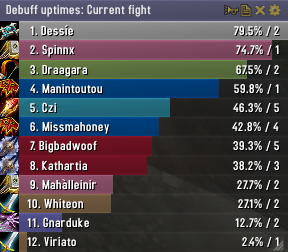
Skada Damage Meter
Skada Damage Meter
Skada is a modular damage meter for World of Warcraft with various viewing modes, segmented fights, and customizable windows. It is designed for efficiency with minimal memory and CPU impact.
"Skada" is Swedish for "Damage".
Midnight Edition (WoW 12.0+)
This version of Skada is updated for World of Warcraft: Midnight and uses Blizzard's new session-based combat systems.
Features
- Midnight Optimized: Uses Blizzard's internal session data for performance and accuracy.
- Combat Reliability: Handles modern combat data restrictions for a stable experience.
- Updated UI: Includes new presets with smooth animations, gradients, and textures.
- Dynamic Elements: Alternating row colors, highlight overlays, spark effects, and icon scaling.
- LDB Integration: Compatible with Data Broker displays such as Titan Panel, ChocolateBar, and ElvUI.
- Extensible Architecture: The API allows developers to create additional plugins.
Usage
Getting Started
A default window is created upon first load. Access the configuration menu by clicking the cog icon on the window title bar or via the minimap button. Select Configure to access settings.
Multiple Windows
Skada supports multiple windows. Create new ones under the Windows section of the configuration panel. Windows can be:
- Bar: The standard customizable meter.
- Inline: A horizontal line for custom UI setups.
- Data Text: For LDB displays and minimal setups.
Navigation
- Left-Click: View more detailed information.
- Right-Click: Return to the previous view.
- Mousewheel: Scroll through lists.
- Tooltips: Hover over bars to see additional context and shortcut keys (e.g., Shift-click for targets).
Themes
Manage window designs with the built-in Theme Engine. You can import and export themes by using theme strings.
Versions
- Midnight (Default): For WoW 12.0+ using the Native API.
- Classic Version: The version for older WoW releases.
Support
If you find Skada helpful, consider supporting its development through GitHub Sponsors.
Links
Comments


-

zarnivoop Owner
-
View User Profile
-
Send Message
Posted Mar 12, 2009seem my minimap button is broke. latest version and minimap button keeps reappearing even though I have it selected off.
-
View User Profile
-
Send Message
Posted Mar 11, 2009-
View User Profile
-
Send Message
Posted Mar 11, 2009But there is one smaller thing I would like to add to the report-function:
- Report DPS/Threat and so on to the Whisper-Channel (I love to spam my friends <3).
Grettings from Germany,
seasox.
-
View User Profile
-
Send Message
Posted Mar 11, 2009-
View User Profile
-
Send Message
Posted Mar 16, 2009-
View User Profile
-
Send Message
Posted Mar 10, 2009-
View User Profile
-
Send Message
Posted Mar 10, 2009-
View User Profile
-
Send Message
Posted Mar 9, 2009I missed one little goody, the spell analysis does not show missed or resisted damage. For me it is vital to know how many of my spells missed the target.
If that is included, I will give Skada another chance.
-
View User Profile
-
Send Message
Posted Mar 8, 2009SkadaHealing\Healing.lua line 114
playermod.name = player.name..L["'s Healing"]
-
View User Profile
-
Send Message
Posted Mar 8, 2009The command line version seems limited, the mmb version closes every time you make a change and I cant for the life of me report to channels, to whispers or to whisper targets, all of which would be very useful.
Otherwise, a damn fine addon, has replaced bloatcount in my ui. Keep up the dilligent and great work.
-
View User Profile
-
Send Message
Posted Mar 8, 2009Skada.lua
info.text = L["Skada Menu"]
Skada\locale\enUS.lua
L["Skada Menu"] = "Skada Menu" L["Switch to mode"] = "Switch to mode" L["Report"] = "Report" L["Toggle window"] = "Toggle window" L["Configure"] = "Configure" L["Delete segment"] = "Delete segment" L["Keep segment"] = "Keep segment" L["Mode"] = "Mode" L["Lines"] = "Lines" L["Channel"] = "Channel" L["Send report"] = "Send report" L["No mode selected for report."] = "No mode selected for report." L["Say"] = "Say" L["Raid"] = "Raid" L["Party"] = "Party" L["Guild"] = "Guild" L["Officer"] = "Officer" L["Self"] = "Self"
SkadaDamage\Damage.lua line 330
spellmod.name = player.name..L["'s "]..spell.name
Skada\locale\zhTW.lua Translation missing
L["Crushing"] = "碾壓"
-
View User Profile
-
Send Message
Posted Mar 8, 2009Personal dps isnt showing in docking station. Raid dps shows fine. last two revisions has had this problem.
-
View User Profile
-
Send Message
Posted Mar 8, 2009Tried this out again today, and the settings are still not applied when u log in a new char or retsrt the game. I have to go to settings and change something before it applies the textures and last but not least the LDB Data feed isnt working, it only shows n/a on my DockingStation. It would be also coll if it could remember what kinda data it was showing last time i played, because everytime i log in it defaults back to only show the current fight and not total fights, what i prefer.
-
View User Profile
-
Send Message
Posted Mar 8, 2009would it be possible under spells detail to include miss rate also?
-
View User Profile
-
Send Message
Posted Mar 7, 2009-
View User Profile
-
Send Message
Posted Mar 6, 2009You also do some testing in the parser (such as Damage.lua line 151) for:
Instead, you could simply use:
-
View User Profile
-
Send Message
Posted Mar 6, 2009-
View User Profile
-
Send Message
Posted Mar 5, 2009I was using the "Return after combat" option to switch to Threat while in combat and back to Damage when out of combat, are you saying that it will only record one or the other? I was hoping that this would replace both Recount and Omen, which I currently have set up to toggle visibility in the same way, but the damage meters is giving me no useful data :(
-
View User Profile
-
Send Message
Posted Mar 5, 2009Do this: right-click a few times until you have a list of fight segments. Then click "Current". This fight segment will show the fight in progress. If, say, you are idling in Dalaran, this will instead show your last fight.
Now click on for example Damage. Enter a fight. Your meter should now switch to the mode you have set it to automatically switch to during combat, which is Threat in your case. Exit combat. Your meter should now switch back to Damage mode showing the fight you were just in.
-
View User Profile
-
Send Message
Posted Mar 28, 2009