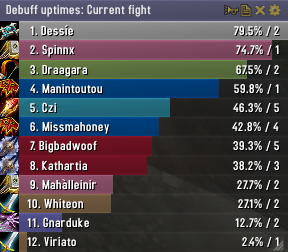
Skada Damage Meter
Skada Damage Meter
Skada is a modular damage meter for World of Warcraft with various viewing modes, segmented fights, and customizable windows. It is designed for efficiency with minimal memory and CPU impact.
"Skada" is Swedish for "Damage".
Midnight Edition (WoW 12.0+)
This version of Skada is updated for World of Warcraft: Midnight and uses Blizzard's new session-based combat systems.
Features
- Midnight Optimized: Uses Blizzard's internal session data for performance and accuracy.
- Combat Reliability: Handles modern combat data restrictions for a stable experience.
- Updated UI: Includes new presets with smooth animations, gradients, and textures.
- Dynamic Elements: Alternating row colors, highlight overlays, spark effects, and icon scaling.
- LDB Integration: Compatible with Data Broker displays such as Titan Panel, ChocolateBar, and ElvUI.
- Extensible Architecture: The API allows developers to create additional plugins.
Usage
Getting Started
A default window is created upon first load. Access the configuration menu by clicking the cog icon on the window title bar or via the minimap button. Select Configure to access settings.
Multiple Windows
Skada supports multiple windows. Create new ones under the Windows section of the configuration panel. Windows can be:
- Bar: The standard customizable meter.
- Inline: A horizontal line for custom UI setups.
- Data Text: For LDB displays and minimal setups.
Navigation
- Left-Click: View more detailed information.
- Right-Click: Return to the previous view.
- Mousewheel: Scroll through lists.
- Tooltips: Hover over bars to see additional context and shortcut keys (e.g., Shift-click for targets).
Themes
Manage window designs with the built-in Theme Engine. You can import and export themes by using theme strings.
Versions
- Midnight (Default): For WoW 12.0+ using the Native API.
- Classic Version: The version for older WoW releases.
Support
If you find Skada helpful, consider supporting its development through GitHub Sponsors.
Links
Comments


-

zarnivoop Owner
-
View User Profile
-
Send Message
Posted Sep 20, 2016After latest updates, Skada quits working when I'm on my Druid healer. I user reverse growth and no title as only non default settings, and it simply won't record any data nor display them. Only solution is to delete profile and create a new one. This will work for a while, then break again.
-
View User Profile
-
Send Message
Posted Sep 20, 2016Greetings,
To devs of skada :
Hunter MM artifact trait Legacy of the Windrunners (Aimed Shot has a chance to coalesce 6 extra Wind Arrows that also shoot your target.) not showing the dmg in skada. Please fix
-
View User Profile
-
Send Message
Posted Sep 20, 2016After the upgrade again broke embed ElvUI
-
View User Profile
-
Send Message
Posted Sep 20, 2016Skada and ShockAndAwe are crashing each other! https://mods.curse.com/addons/wow/shockandawe
Sadly I have to use Recount again.
-
View User Profile
-
Send Message
Posted Sep 19, 2016Question: How do you remove a combatant from the date window? I haven't figure out how to yet.. In Recount it was easy just right-click their name and delete them from the list.. how do you do that in Skada?
-
View User Profile
-
Send Message
Posted Sep 19, 2016With the latest update the "Modes" constantly reshuffle during combat and are left in random sorting when out of combat.
-
View User Profile
-
Send Message
Posted Sep 20, 2016This happens for me too
-
View User Profile
-
Send Message
Posted Sep 20, 2016Same here, unfortunately
-
View User Profile
-
Send Message
Posted Sep 19, 2016If i have reverse bar growth ticked, it breaks everything and i cant click on anyone to see the damage break downs.
is there a workaround or anyway to fix this?
-
View User Profile
-
Send Message
Posted Sep 19, 2016buff up time for demon hunter's momentum seems off. it seems that it stops tracking after the first couple momentum buffs. not sure if it is just me. When I keep up the buff 100% in the first 10 sec, skada only show me ~40%. Can other demon hunter confirm?
-
View User Profile
-
Send Message
Posted Sep 16, 2016Skada is missing the initial tick of immolation (warlock) if you pull with it, and is missing the neck enchant of the satyr ...
-
View User Profile
-
Send Message
Posted Sep 17, 2016Same issue, Mark of the Hidden Satyr is not loged.
-
View User Profile
-
Send Message
Posted Sep 17, 2016+1 for Mark of the Hidden Satyr
-
View User Profile
-
Send Message
Posted Sep 18, 2016-
View User Profile
-
Send Message
Posted Sep 16, 2016hi, skada dmg metter is bug at warlock affliction 2 missing out spell drain life and affliction unstable.
-
View User Profile
-
Send Message
Posted Sep 15, 2016Anybody having issues with Skada window showing whenever you change zone?
Even though I'm solo and have the option ticked to hide it still pops up
-
View User Profile
-
Send Message
Posted Sep 17, 2016yep, I do, it's quite annoying...
-
View User Profile
-
Send Message
Posted Sep 18, 2016Same thing here, not sure why it appears, but it does appear despite having "hide in solo" and "disable while hidden" turned on. Very annoying.
-
View User Profile
-
Send Message
Posted Sep 18, 2016I do as well.
The Hide when solo option is ticked, but it keeps showing up randomly on zone change.
-
View User Profile
-
Send Message
Posted Sep 29, 2016Try UNselecting "Hide in PVP" option, it seems it is responsible for random appearences when changing a zone. At least for my warlock it no longer shows up every time when I leave my Order Hall.
I have now the following configuration:
Hide when solo: checked
Hide in combat: unchecked
Hide in PVP: unchecked
Disable when hidden: unchecked