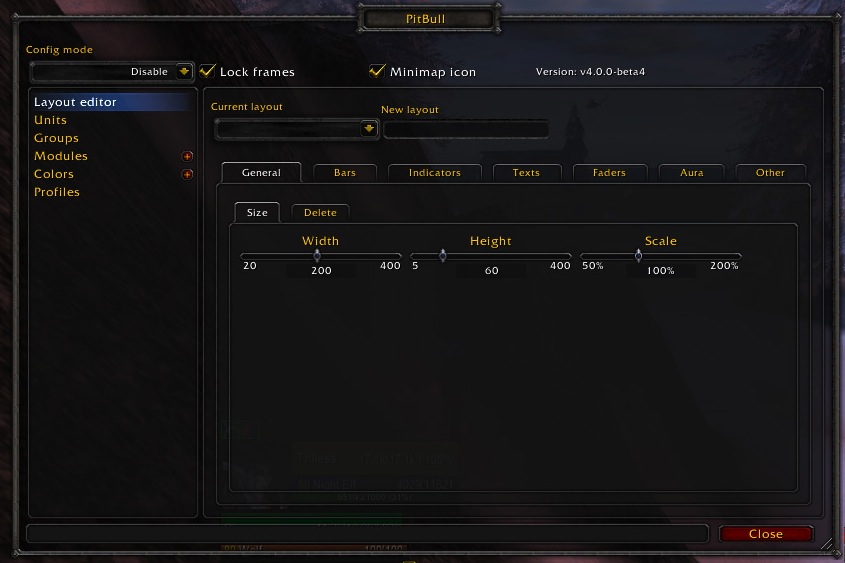
PitBull Unit Frames 4.0
PitBull Unit Frames 4.0
Woof. Arf. Yip.
Getting Started:
You can help translate PitBull for your language with the localization tool.
Classic
PitBull works with WoW Classic! Classic Era/Vanilla is supported in
v4.3.x-vanilla releases. Other Classic versions are supported in v4.2.x releases
(the same releases retail use).
Download
CurseForge: https://www.curseforge.com/wow/addons/pitbull-unit-frames-4-0
Wago: https://addons.wago.io/addons/pitbull4
WoWInterface: https://www.wowinterface.com/downloads/info20021


-
View User Profile
-
Send Message
Posted Oct 18, 2026I found a small bug that (i think) works differently in earlier versions, i like to make my health bar slightly transparent.
On the Health bar the "Empty" portion of the bar is always in the background - which is okay if both are opacity: 100%
If i reduce the opacity of "Full" i still don´t see the game through the bar - because the "empty" bar is still there 100% opaque.
-
View User Profile
-
Send Message
Posted Oct 18, 2026@dude0220 Hey!
Thanks for reporting this! :)
I've addressed the Health Bar transparency issue in **Forever v56** (also included in v57).
Reducing the "Full" opacity now allows the game world to show through the bar when "Empty" is still set to 100%.
One limitation: the empty portion will also become transparent in this configuration.
Could you give the latest version a try and let me know if it works as expected?
Thanks again!
-
View User Profile
-
Send Message
Posted Oct 17, 2026Thank you! Which do I download? Do I need them all?
-
View User Profile
-
Send Message
Posted Oct 17, 2026@Bobbydigital316 you select the latest one (i am currently updating the addon every few days - so just keep an eye out =) )
-
View User Profile
-
Send Message
Posted Oct 18, 2026@Rumorix This is awesome, it even retained my retail settings!! I'm having an issue with Target of Target, with no addons except the latest Pitbull. The ToT frame shows, but says "err" instead of the target of target's name.
-
View User Profile
-
Send Message
Posted Oct 18, 2026@Bobbydigital316 Feel like a parrot repeating this :D
But try move your retail stuff out of the WTF folder and see if it shows correctly with a stock version. Might need to redo your configs for Forever.
-
View User Profile
-
Send Message
Posted Oct 16, 2026Hey, thanks for the effort. I have a really strange phenomenon wich i can work around for now tho.
When i use Bartender together with Pitbull4 - and i want to move around a Pitbull unitframe - i can´t "let go" of it - it will stick to my mouse until i relog. If i disable Bartender - everything works fine.
-
View User Profile
-
Send Message
Posted Oct 16, 2026@dude0220 should also be fixed in 006 - funny enough i also use bartender and couldnt reproduce it
-
View User Profile
-
Send Message
Posted Oct 17, 2026@Rumorix i tried it with the version from yesterday (052) and i still have this phenomenon O_O
I tried it on different characters/classes/factions - i removed the Pitbull4 profile from the WTF folder - Bartender4 is up to date (Version 4.18.3.1.1-g8339c74 according to curseforge app)
I don´t get any errors in Bug Sack.
I have no other Addons active at the time. Anything else i can do to help identify this?
-
View User Profile
-
Send Message
Posted Oct 17, 2026@dude0220 If you disable bartender it doesn't happen? Have you tried also moving bartender files out of the WTF folder and seeing if it happens with stock bartender too?
-
View User Profile
-
Send Message
Posted Oct 17, 2026@ixlone tried, same issue.
-
View User Profile
-
Send Message
Posted Oct 17, 2026@dude0220 would you be so kind to try v053? <3
-
View User Profile
-
Send Message
Posted Oct 18, 2026@Rumorix It works, legend! <3 Thank you.
The soul shards indicator throws an error tho....i just disabled it - but just so you know.
"3x CreateFrame(): Couldn't find inherited node 'ShardTemplate'
Lua Taint: PitBull4
[tail call]: ?
[C]: ?
[C]: in function 'CreateFrame'
[PitBull4/Controls/Controls.lua]:216: in function <PitBull4/Controls/Controls.lua:188>
[PitBull4/Controls/Controls.lua]:235: in function <PitBull4/Controls/Controls.lua:220>
[PitBull4/Controls/Controls.lua]:265: in function <PitBull4/Controls/Controls.lua:247>
[tail call]: ?
[PitBull4/Modules/SoulShards/SoulShards.lua]:109: in function 'UpdateFrame'
[PitBull4/ModuleHandling/Module.lua]:314: in function 'Update'
[PitBull4/UnitFrame.lua]:922: in function 'Update'
[PitBull4/Main.lua]:784: in function 'UpdateForLayout'
[PitBull4/Options/LayoutEditor.lua]:36: in function <PitBull4/Options/LayoutEditor.lua:35>
[PitBull4/Options/LayoutEditor/Indicators.lua]:272: in function <.../AddOns/PitBull4/Options/LayoutEditor/Indicators.lua:269>
[C]: ?
[ArkInventory/Externals/Ace3/AceConfig/AceConfigDialog-3.0/AceConfigDialog-3.0.lua]:45: in function <...ceConfig/AceConfigDialog-3.0/AceConfigDialog-3.0.lua:43>
[ArkInventory/Externals/Ace3/AceConfig/AceConfigDialog-3.0/AceConfigDialog-3.0.lua]:835: in function <...ceConfig/AceConfigDialog-3.0/AceConfigDialog-3.0.lua:657>
[C]: ?
[ArkInventory/Externals/Ace3/AceGUI/AceGUI-3.0.lua]:66: in function <...ns/ArkInventory/Externals/Ace3/AceGUI/AceGUI-3.0.lua:64>
[ArkInventory/Externals/Ace3/AceGUI/AceGUI-3.0.lua]:300: in function 'Fire'
[ArkInventory/Externals/Ace3/AceGUI/widgets/AceGUIWidget-CheckBox.lua]:64: in function <...ernals/Ace3/AceGUI/widgets/AceGUIWidget-CheckBox.lua:53>
Locals:
(*temporary)="LeftButton"
(*temporary)=true"
-
View User Profile
-
Send Message
Posted Oct 18, 2026@dude0220 cheers! great to hear! i am depended on all feedback i can get - i am not able (from a time perspektive and from a class perspective) to test everything so thank you! =)
-
View User Profile
-
Send Message
Posted Oct 16, 2026During combat, if a new boss—one not previously encountered—appears and a new boss frame is created, that frame will not display buffs or debuffs.
-
View User Profile
-
Send Message
Posted Oct 16, 2026@Cognition should be fixed in 006! please test it =)
-
View User Profile
-
Send Message
Posted Oct 14, 2026Thank you for making Pitbull compatible with WoW Forever. Currently using Pitbull-Lorenzo-Forever-42. A few issues I'm having (which may just be my inability to use the addon properly) and not been able to get to work but which did work in other WoW versions for me:
- can't get rogue poisons to show up in buff auras.
- can't output unit power as a specific color other than white (for any type mana/rage/energy). also can't seem to output unit power plus other strings or text. It will just display unit power and ignore anything else.
- can't figure out how to create/edit filters for Auras. Specifically trying to only display buffs/debuffs that originated from my character or only display specific debuffs for instance. maybe i'm just missing it somewhere.
Again, I apologize if this is just due to my ignorance at using the addon.
-
View User Profile
-
Send Message
Posted Oct 14, 2026@bagelobo Hey, thanks a lot for the detailed feedback, and no need to apologize! :)
These are all valid things to bring up, especially since they worked in previous versions of PitBull4.
I've added all three issues to my list:
- **Rogue poisons:** I'll investigate how weapon enchants and poison buffs are handled in the current Forever client.
- **Power text formatting:** I'll look into why custom colors and additional text aren't being displayed correctly. Some of this may be related to the newer protected-value restrictions.
- **Aura filters:** The filter editor still exists in the code, but its integration with the options needs some attention. I'll investigate restoring proper access to custom filters, including filtering by caster and specific spells.
I can't promise all three will be fixed immediately, but I'll investigate them for the next build.
Thanks again for testing v42 and taking the time to report these issues. Feedback like this really helps!
Cheers,
Rumorix
-
View User Profile
-
Send Message
Posted Oct 14, 2026@bagelobo please test v43 when you have some spare time <3
-
View User Profile
-
Send Message
Posted Oct 14, 2026@bagelobo Are you by chance using older saved variables that need to be replaced? I can confirm that on v42 rage shows red/energy shows yellow, I am able to cycle through any color I want under custom color and apply it for powers. Furthermore all text is working correctly.
Try moving your pitbull.lua to desktop and see if it all works on a stock profile. May just need to redo your UI.
Aura filters - There is a semi-workaround available for this currently, you can set layout editor > aura > icon size to 4 > icon size for my auras to 16-20, so other people's are tiny and yours stay normal size - tested and it seemed to work for me inside instance.