Decursive
Decursive for World of Warcraft
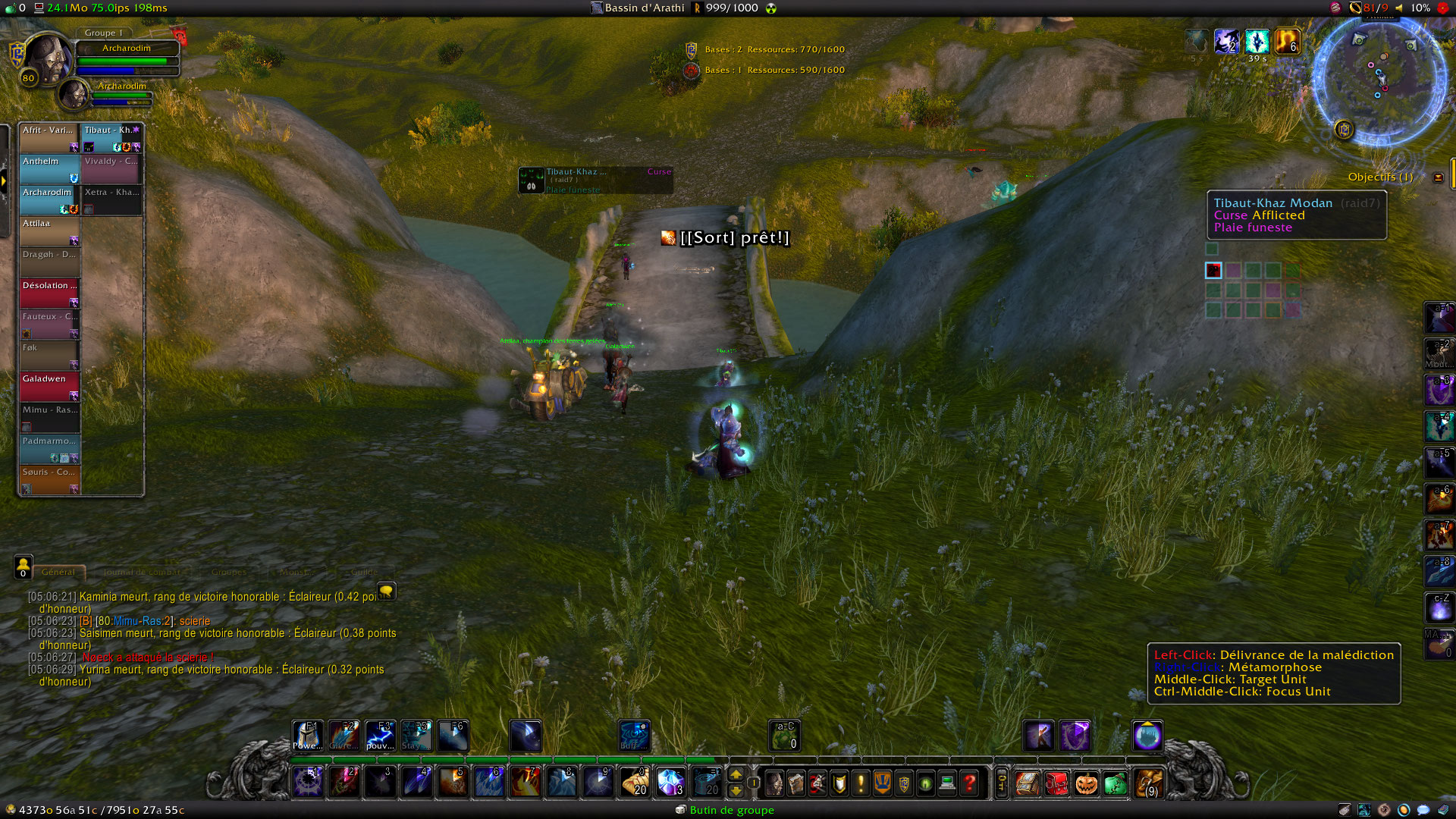
Decursive is a cleansing mod intended to make affliction removal easy, effective and fun for all the classes having this ability.
Documentation:
NOTE: Type /DECURSIVE to open the configuration panel. Decursive's options are not directly available in the "Interface" panel due to ongoing tainting issues Blizzard is not willing to fix.
Decursive usage - Micro Unit Frames documentation - Decursive Macro documentation - Frequently Asked Questions - commands
Decursive key benefits
Ease of use:
- Decursive supports all classes with cleansing abilities and configures itself automatically, it works straight out of the box, no configuration is required.
- Intuitive interface and detailed options, Decursive is suitable for simple usage and power users.
Control what and who you want to dispel:
- Easily Filter out afflictions you don't want to cure or that are useless to remove by class (some are pre-configured). (Such as afflictions affecting mana on non-mana classes, etc...).
- Choose between what you can dispel (magic, curses, poison, diseases, charms) choosing their priority. (this allows you to share the cleansing work with other players effectively)
- Prioritize or exclude members. (keep players, classes, or raid groups in a specific order to cleanse them in order of importance)
Manage Mind controlled units:
- If you are a Mage, a Druid or a Shaman you can Polymorph/Cyclone/Hex mind-controlled players.
- In any case Decursive will allow you to target mind controlled units easily.
- Decursive supports magic charming affect removal for Shamans (Purge and Hex), Priests (Dispel Magic), Hunters (Tranquilizing Shot), and Warlocks (Fellhunter and Doomguards spells).
Don't waste time:
- Your cleansing spell Cooldown is displayed to maximize your dispel speed.
- An automatic blacklist will prevent you from loosing time on players who can't be dispelled. (player 'out of line of sight' for example).
- Decursive choose a logical cleansing order depending on your current position in the raid. (preventing dispel concurrence between players and thus 'nothing to dispel' messages)
React faster:
- Visual and/or auditive alerts when someone needs your attention and can be dispelled.
- Special sound alert when Unstable Affliction is detected and you're about to dispel it.
- Visual and auditive alert when your dispel attempts are resisted or fail.
Integration in any interface:
- Decursive is designed to save screen real estate and to be forgotten when not needed.
- Many options allow you to customize Decursive appearance and interface behavior.
- All Decursive alert colors can be modified making it suitable for color-blind people.
Highly optimized and effective coding:
- Decursive was developed with memory and CPU usage in mind, installing Decursive won't affect your frame rate even in the worst battle conditions.
- Bug free: bugs are not tolerated in Decursive.
In brief, what you get with Decursive is effectiveness, a player using Decursive will always dispel faster than other players.
See also:
- Decursive usage
- Micro Unit Frames documentation
- Decursive Macro documentation
- Frequently Asked Questions try this before asking any question
- commands
Interesting articles and videos about Decursive's usage:
- 2010-11-20 (Updated in 2011-06-11)
A complete Decursive guide by @darista: daritos.apotheosis-now.com/?p=24
- 2009-07-15
Article: www.hotsdots.com/2009/07/improving-the-interface-using-addons-7-decursive-cleansing-and-dispelling/
- 2010-02-20:
Video: WarcraftScience's Decursive tutorial
For other videos about Decursive, see the YouTube playlist.
Decursive is dedicated to the memory of Bertrand Sense known as Glorfindal on the European server Les Sentinelles. He was the raid leader of my guild (Horizon)
For suggestions, feature request, or bug report, use the ticket system provided by WoWAce.com.
Development versions of Decursive are available at this URI: https://www.2072productions.com/to/decursive_dev ; note that development versions may be unstable. Unless you want to help testing unstable code you should download the versions considered stable below.
Do not forget to rate Decursive!
Bitcoin donation address: 1LEHZuPsiHN4hM3H3Gru5xKmDgCj867eFX
Comments


-

archarodim Owner
-

Ananhaid Translator
-

chkmyid Translator
-

DarkbreakerSM Translator
-

Dzidiku Translator
-

sugymaylis Translator
-
View User Profile
-
Send Message
Posted Jun 9, 20262.8.0-RC8 was just released to fix the MOP issue.
I had computer issues this weekend right after releasing an alpha version and couldn't make a full release sooner.. (Remember that you can enable alpha versions in the curse client by right-clicking on Decursive and choosing 'alpha' under release type)
-
View User Profile
-
Send Message
Posted Jun 5, 2026Encountering a bug where decursive doesnt even seem to appear anywhere on screen at all. MoP Classic
-
View User Profile
-
Send Message
Posted Jun 6, 2026@Joruuscbaoth Same. Broken since SOO dropped. :( my favorite addon, honestly
-
View User Profile
-
Send Message
Posted Jun 9, 2026@Kynnafaye See above post if youre still having this issue. its in the versions tab!
-
View User Profile
-
Send Message
Posted Jun 9, 2026@Joruuscbaoth had this same issue, ensure youve got the correct file downloaded, 2.8.0-RC7-1-gbcda74b-mists NOT just the 2.8.0RC7-mists. Solved the issue for me!
-
View User Profile
-
Send Message
Posted Jun 9, 2026@themissus TY missus :) seems to be working like a charm
-
View User Profile
-
Send Message
Posted Jun 9, 2026@Joruuscbaoth Can confirm that using the "2.8.0-RC7-1-gbcda74b-mists" file SPECIFICALLY (NOT 2.8.0-RC7-mists), worked. I couldn't find it on this CurseForge page and had to do a google search and grab it from WoWAce, but it is working now!
-
View User Profile
-
Send Message
Posted Jun 9, 2026@stink687555 it is on the addon under versions, right next to the comments tab :) glad it helped someone!
-
View User Profile
-
Send Message
Posted Jun 9, 2026@stink687555 I eventually saw that there was an alpha release and that seemed to be a functional version for MoP Classic for now.
-
View User Profile
-
Send Message
Posted Jun 5, 202613x Frame:RegisterEvent(): Frame:RegisterEvent(): Attempt to register unknown event "LEARNED_SPELL_IN_TAB"
[tail call]: ?
[C]: in function 'RegisterEvent'
[Decursive/DCR_init.lua]:1190: in function <Decursive/DCR_init.lua:1155>
[C]: ?
[Bartender4/libs/AceAddon-3.0/AceAddon-3.0.lua]:66: in function <Bartender4/libs/AceAddon-3.0/AceAddon-3.0.lua:61>
[Bartender4/libs/AceAddon-3.0/AceAddon-3.0.lua]:523: in function 'EnableAddon'
[Bartender4/libs/AceAddon-3.0/AceAddon-3.0.lua]:626: in function <Bartender4/libs/AceAddon-3.0/AceAddon-3.0.lua:611>
Locals:
-
View User Profile
-
Send Message
Posted May 31, 2026L’AddOn 'Decursive' a tenté d’appeler la fonction protégée 'Button:SetPassThroughButtons()'.
-
View User Profile
-
Send Message
Posted May 19, 2026I use this on dreamscythe on my holy priest and only my magic works, when i try to dispel a disease i get a message saying something along the line that i need to use the correct version of spell... where when i use this on HC, i have no issue at all.
-
View User Profile
-
Send Message
Posted May 21, 2026In reply to user_q94knye34dck59ra:
Is there just the message displayed or does it works nonetheless and just displays that message?
-
View User Profile
-
Send Message
Posted May 26, 2026@archarodim I can use it with my magic dispel, but my disease dispels it does not work at all
-
View User Profile
-
Send Message
Posted May 21, 2026In reply to user_q94knye34dck59ra:
You can try the latest alpha where I disabled this "wrong click" feature which cannot work anymore in Midnight: https://www.wowace.com/projects/decursive/files
-
View User Profile
-
Send Message
Posted May 18, 202674x ...eBlizzard_MoneyFrame/Mainline/MoneyFrame.lua:292: attempt to perform arithmetic on a secret number value (execution tainted by 'Decursive')
-
View User Profile
-
Send Message
Posted May 21, 2026In reply to sanggo_tv:
unfortunately, I cannot reproduce this error so I cannot fix it... If you find a definite reproducible path to this error it would help.
-
View User Profile
-
Send Message
Posted May 17, 2026Merci Enfin Ty
-
View User Profile
-
Send Message
Posted May 16, 2026Hi. Thanks for reviving this amazing addon. So, I play a mage and I only want to see CUrse in the Curing options tab. But I have several affliction types checked but greyed out and I can't uncheck them. And I am still getting notifications for them when they affect my group but there's nothing I can do about them. How do I deactivate all Curing options but Curse?
Thank you in advance.
-
View User Profile
-
Send Message
Posted May 16, 2026In reply to RandallFlagg13:
What is your client language and what other affliction types besides curse are you seeing in the options? (note that you need to be out of combat in order to changes these options)