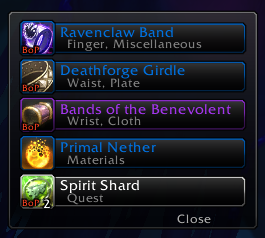
Auto-loot by rarity. A new option auto-loots any item at or above a quality you
choose, whatever its type ("greed all greens" and better). Off by default; set it
under /xloot → Loot Frame → Auto-looting.
Show gold from system messages. The Loot Monitor can now show gold that the game
only reports as a system message, such as world-quest rewards and gold purses
(Sky Racer's Purse). Off by default; enable System gold under
/xloot → Loot Monitor → Filters.
Hide Blizzard's loot pop-ups. A new option silences the default loot toast alerts
(the ones that pile up when you open lots of chests) while leaving achievement,
recipe, and other non-loot alerts alone. Off by default, under
/xloot → Loot Monitor → Blizzard loot alerts.
Right-click to dismiss Loot Monitor rows. Right-click a loot row to remove it
early; the rows below shift up to close the gap. The row fade times can also be set
much longer now. Off by default.
Loot Frame font outline. A new outline option for the item-name text under
/xloot → Loot Frame → Font.
What's New popup. After an update, a short summary of the new features shows once.
Turn it off any time under /xloot → Global options, or with the popup's own
"Don't show these again" checkbox.
Bug Fixes
Fixed leftover loot being stranded, with a Lua error when bags were full, if Speedy
auto-loot could not fit everything at once. The remaining items now show correctly.