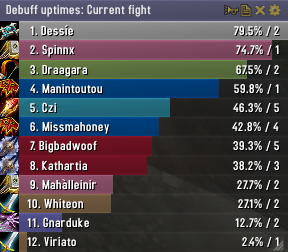
Skada Damage Meter
Skada Damage Meter
Skada is a modular damage meter for World of Warcraft with various viewing modes, segmented fights, and customizable windows. It is designed for efficiency with minimal memory and CPU impact.
"Skada" is Swedish for "Damage".
Midnight Edition (WoW 12.0+)
This version of Skada is updated for World of Warcraft: Midnight and uses Blizzard's new session-based combat systems.
Features
- Midnight Optimized: Uses Blizzard's internal session data for performance and accuracy.
- Combat Reliability: Handles modern combat data restrictions for a stable experience.
- Updated UI: Includes new presets with smooth animations, gradients, and textures.
- Dynamic Elements: Alternating row colors, highlight overlays, spark effects, and icon scaling.
- LDB Integration: Compatible with Data Broker displays such as Titan Panel, ChocolateBar, and ElvUI.
- Extensible Architecture: The API allows developers to create additional plugins.
Usage
Getting Started
A default window is created upon first load. Access the configuration menu by clicking the cog icon on the window title bar or via the minimap button. Select Configure to access settings.
Multiple Windows
Skada supports multiple windows. Create new ones under the Windows section of the configuration panel. Windows can be:
- Bar: The standard customizable meter.
- Inline: A horizontal line for custom UI setups.
- Data Text: For LDB displays and minimal setups.
Navigation
- Left-Click: View more detailed information.
- Right-Click: Return to the previous view.
- Mousewheel: Scroll through lists.
- Tooltips: Hover over bars to see additional context and shortcut keys (e.g., Shift-click for targets).
Themes
Manage window designs with the built-in Theme Engine. You can import and export themes by using theme strings.
Versions
- Midnight (Default): For WoW 12.0+ using the Native API.
- Classic Version: The version for older WoW releases.
Support
If you find Skada helpful, consider supporting its development through GitHub Sponsors.
Links
Comments


-

zarnivoop Owner
-
View User Profile
-
Send Message
Posted Apr 21, 2013Tempus Repit (the sinister meta gem proc) isn't showing in the buff uptimes listing. Is there a way to manually add it?
-
View User Profile
-
Send Message
Posted Apr 22, 2013+1
-
View User Profile
-
Send Message
Posted Apr 20, 2013segments aren't working for me
-
View User Profile
-
Send Message
Posted Apr 17, 2013Hello great addon, prefer it over Recount any time!
The CC breaker has stopped working for me also.
Also it is now unable to go to previous segments in any list(dps heals etc), it can only do total or current :(
I have 2 skada windows up one for healing one for damage, this has seemed to be why as I can select specific boss segment it has saved when its in *one* piece.
Hope for a fix soon!
-
View User Profile
-
Send Message
Posted Apr 17, 2013For some reason, the CC announcer and Threat warning does not work.
-
View User Profile
-
Send Message
Posted Apr 14, 2013Announcing CC Breaks no longer seems to work. I updated the addon to the latest version and it will not register the CC breaks in the meters or announce them to my party.
-
View User Profile
-
Send Message
Posted Apr 13, 2013Hi, I have been having "stutter" type lag while having the healing module turned on. Any time I use any sort of a heal while in combat such as a HoT, I start having the stutter problem. Is there any way I can fix this without having to disable the addon?
-
View User Profile
-
Send Message
Posted Apr 13, 2013Would be nice, if the Addon would track the buff "Tempus Repit" from the Legendary Meta Gem "Sinster Primal Diamond". Thanks in advance, keep up the good work : )
-
View User Profile
-
Send Message
Posted Apr 10, 2013Why am i forced to manually toggle Skada when joining a group? I recently tested out some different meters(TinyDPS, ALDamageMeter), found them lacking and went back to Skada. Figured i would re-do my setup, and I can't for the life off me get it to simply show up when joining a group.
-
View User Profile
-
Send Message
Posted Apr 9, 2013I have an issue where the addon won't work or read DPS if I just log into WOW. I always need to do a UI /RL to get it to read correctly. I am not getting any error message from the addon it just doesn't seem to read for some reason. ???? Any help would be greatly appreciated. I really like Skada over Recount!!
-
View User Profile
-
Send Message
Posted Apr 4, 2013@Gimplekin
This should be fixed. I never notice these things because I do not use the "Only save boss segments" option.
-
View User Profile
-
Send Message
Posted Apr 11, 2013+1 to this. I was just about to say that myself.
I think we can all agree that 100,000 is a lot easier on the eyes than 100000.
-
View User Profile
-
Send Message
Posted Apr 2, 2013Can we please have european style numbers as an option, you know, with the commas in them.
-
View User Profile
-
Send Message
Posted Apr 17, 2013+1
-
View User Profile
-
Send Message
Posted Apr 2, 2013Is it possible to let the User configure the Number format to a specific element?
Take me for the example, I want Detailed DPS/HPS and condensed Amounts of Damage done/Healing done.
-
View User Profile
-
Send Message
Posted Apr 1, 2013i've also seen that it will not store any boss data from ToT. you can see each boss as it's currently happening, or until you start combat with something else, but it won't keep the boss fights for later examination
-
View User Profile
-
Send Message
Posted Mar 31, 2013nice meter, been using it for a while now, but it doesn't keep ToT boss's. if that gets fixed it'll be worth using again.
-
View User Profile
-
Send Message
Posted Apr 1, 2013I would like the opposite, is there anyway to do so? In the new version the dps is shown as K DPS format, how do I change it back? It's stupid to see healing without rounded, and damage with rounded numbers.
-
View User Profile
-
Send Message
Posted Apr 2, 2013Its not showing any rounded numbers for me , how come you have it ?
-
View User Profile
-
Send Message
Posted Apr 3, 2013No idea it came after the latest update