HandyNotes
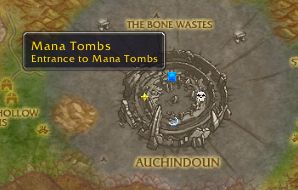
Handy Notes for your maps. This addon is intended to be a small and simple framework for showing notes on your map.
Use /handynotes to access options.
You can add notes to the maps in 3 ways:
- Alt-RightClick on the world map to add a note.
- Use "/hnnew" without the quotes to add a note at your current location.
- Use "/hnnew x,y" without the quotes to add a note at location x,y on your current zone's map.
HandyNotes supports plugins that other authors can write to display their own set of notes on the map. See this link for a list of such addons: https://www.curseforge.com/wow/search?search=handynotes
Comments

-

Xinhuan Owner
-

nevcairiel Maintainer
-
View User Profile
-
Send Message
Posted Sep 25, 2019First of all amazing addon! I want to ask you to put a strata option in it. many times i have problem to see quests objectives or ! / ? because npc marks are above them. Im using questie for quests and i havent found an option to use max above strata for their marks.. thanks in advance :)
-
View User Profile
-
Send Message
Posted Sep 23, 2019As said by other users, could you please add this to classic so Twitch doesn’t deletes this from my Addon directory every day?
There are some additions info’s so Twitch Client need to know it is Classic and doesn’t delete it. Also a version for classic would be perfect.
Other authors are working on these add-ons for Classic and HandyNotes is required of course.
Turning off Twitch sync is not really an option.
Other Add-ons for example are:
HandyNotes_FlightMasters (Classic)
https://www.curseforge.com/wow/addons/handynotes_flightmasters-classic
HandyNotes_DungeonLocations (Classic)
https://www.curseforge.com/wow/addons/handynotes_dungeonlocations-classic
That would be really really great, Thank you!
-
View User Profile
-
Send Message
Posted Sep 14, 2019Just to let everyone know i finally got it to work, Simply by turning off the sync on Twitch then download file to documents and extract files then move the
handy note file to the Wow, Classic, interface, addon file.
BaronSolace was Right by turning off the Twitch Sync
-
View User Profile
-
Send Message
Posted Sep 14, 2019alt+right click no longer works for me on classic :(
-
View User Profile
-
Send Message
Posted Sep 11, 2019Please add this to classic...it is needed for the other handynotes(classic) addons. Twitch deletes this from my directory every day. Thank you!!
-
View User Profile
-
Send Message
Posted Sep 13, 2019In reply to rwheaton11:
do you have auto sync on ? i noticed twitch was deleting my addons when i had that turned on. so i turned it off
-
View User Profile
-
Send Message
Posted Sep 8, 2019Classic version?
-
View User Profile
-
Send Message
Posted Sep 9, 2019In reply to IAmTheSwartz:
Modifying the TOC version can be used directly, and no problems have been found so far.
-
View User Profile
-
Send Message
Posted Sep 10, 2019In reply to mojie126:
I'm guessing most of us are end users and don't understand modifying the TOC version. Is there anyone out there that can do this and provide a link?
Thank you!
-
View User Profile
-
Send Message
Posted Sep 20, 2019In reply to Kralomax:
Just tick the "load out of date addons" checkbox in game and no need to modify anything, it just works!
-
View User Profile
-
Send Message
Posted Sep 6, 2019Anyone have a working Classic version...one that doesn't flag errors? Thanks
-
View User Profile
-
Send Message
Posted Sep 6, 2019In reply to Kralomax:
This Handynotes version (v1.5.6) is compatible with retail and classic
-
View User Profile
-
Send Message
Posted Sep 6, 2019In reply to Dathwada:
TY. I'm just getting out of date errors in the addon list.
-
View User Profile
-
Send Message
Posted Sep 9, 2019In reply to Kralomax:
You will get out-of-date errors with Handynotes v1.5.6 in Classic because the toc is set for Retail. Either edit the toc for Classic or just allow out-of-date addons.
-
View User Profile
-
Send Message
Posted Sep 6, 2019In reply to Kralomax:
DITTO,,,, Would love to see a Version that works on Classic WoW
-
View User Profile
-
Send Message
Posted Sep 8, 2019In reply to Kralomax:
for some reason handynotes file keeps getting deleted from my files it worked fine yesterday but not today
-
View User Profile
-
Send Message
Posted Sep 2, 2019I hacked up a way to add show all show Innkeepers, Flightmasters, Trainers, Vendors, Mailboxes, Bankers & Auctioneers using HandyNotes. I don't know LUA but I'm decent at Python so I scraped WoWHead and converted to HandyNotesDB.
https://www.reddit.com/r/classicwow/comments/cyyouq/handynotes_show_innkeepers_flightmasters_trainers/
Here is the link on how to add it. Maybe someone can use this to make something more official.
-
View User Profile
-
Send Message
Posted Aug 31, 2019Started getting the following error today:
1x [ADDON_ACTION_FORBIDDEN] AddOn 'HandyNotes' tried to call the protected function 'UseQuestLogSpecialItem()'.
!BugGrabber\BugGrabber.lua:519: in function <!BugGrabber\BugGrabber.lua:519>
[C]: in function `UseQuestLogSpecialItem'
...ObjectiveTracker\Blizzard_ObjectiveTrackerShared.lua:95: in function <...ObjectiveTracker\Blizzard_ObjectiveTrackerShared.lua:88>
-
View User Profile
-
Send Message
Posted Aug 24, 2019When I alt+right-click the menu hides behind the map.
-
View User Profile
-
Send Message
Posted Aug 22, 2019need for classic versiob very mutch