Breeze
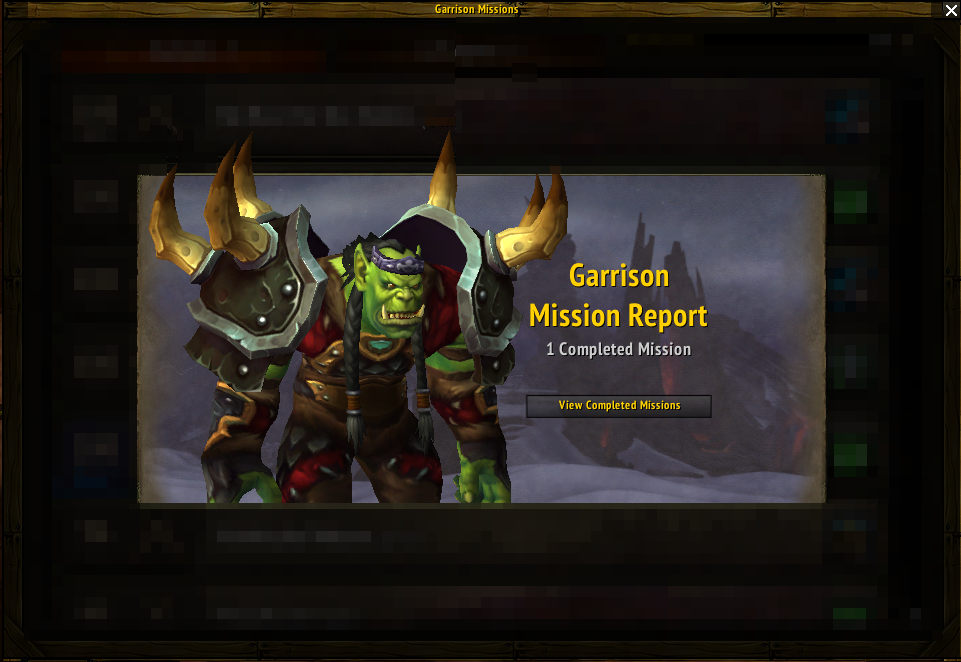
Every time your followers complete a mission in the garrison, you are forced to sit trough that silly 2s animation where you see your followers battle whatever creature they fought. While this is entertaining for the first and second time, maybe, it becomes really annoying after this.
What does it do exactly? A picture is worth a thousand words, but a short video is even better!
This simple addon will remove all those animations and auto-open the chests for you so you can go back to your monster killing faster.
Version 1.00 is a complete rewrite.
Please report any bugs you find on the WoWAce Ticket page or trough Curse comments.
New in Alpha: Will now disable the level-up animation/sound when you upgrade a follower's item level!
Comments


-

Znuff Owner
-
View User Profile
-
Send Message
Posted Nov 24, 2014Can this addon somehow cause not getting bonus exp in case of successfully completed mission?
It just happened to me, the animation after the mission showed level up (and it should have been a level up given starter follower exp, mission base exp and bonus exp). But then in the list of followers that follower still has its old level (looks like didn't get either bonus exp, or base exp). I'm not sure if it's a Blizzard bug or if the addon could potentially have something to do with it? Thanks.
-
View User Profile
-
Send Message
Posted Nov 25, 2014What version are/where you on? There were a few alphas before the 1.0 rewrite that could have been problematic (but I couldn't actually confirm that).
1.x is a complete rewrite
-
View User Profile
-
Send Message
Posted Nov 25, 2014Iv been having the same issue with multiple followers, i have disabled the addon and next mission they leveled up, it has mainly happend with dagg on multiple chars, i love this addon and how it idealy works, but it doesnt give xp, and rewards properly.
-
View User Profile
-
Send Message
Posted Nov 24, 2014Does this allow me to auto-loot all missions like the mailbox addon, Postal?
-
View User Profile
-
Send Message
Posted Nov 24, 2014No, this will only speed up clicking trough them.
There are other addons that do what you want - some people just prefer to see the animation of their followers leveling and the rewards in the mission frame.
-
View User Profile
-
Send Message
Posted Nov 24, 2014Yeah I definitely like to see the results, but would prefer a list view, rather than each one on a new page, then I could accept all missions with one click!
-
View User Profile
-
Send Message
Posted Nov 24, 2014Have a look at Simca's http://www.curse.com/addons/wow/mission-complete
It outputs everything to chat, in one click.
-
View User Profile
-
Send Message
Posted Nov 24, 2014I just pushed v0.99.3 release;
That should fix that issue.
-
View User Profile
-
Send Message
Posted Nov 24, 2014I am having an issue where it becomes stuck at the last chest opening and seems to happen with my follower missions that reward character experience for a successful mission.
-
View User Profile
-
Send Message
Posted Nov 24, 2014Is this on the latest beta release or the previous one? I'm currently pushing some code doing some more testing.
Please keep to Release at the moment if you experience any issue.
-
View User Profile
-
Send Message
Posted Nov 24, 2014It was on the release version 99.1. It caused my follower to become stuck and unable to press "Next" as it was greyed out. Also not able to send on new mission because he was stuck. I needed to relog to disable addon
-
View User Profile
-
Send Message
Posted Nov 24, 2014Words cannot describe how great this is. Best addon for WoD so far. Great QOL improvement. Thanks!
-
View User Profile
-
Send Message
Posted Nov 23, 2014I can't tell you how much I love this addon. There is nothing worse then wasting time pointlessly on annoying animations. Keep it up! =)
-
View User Profile
-
Send Message
Posted Nov 23, 2014Thank you for the nice textures :-)
Glad you like it!
-
View User Profile
-
Send Message
Posted Nov 23, 2014Hi what is the name of the addon in the video, that changes the font, and looks?
-
View User Profile
-
Send Message
Posted Nov 23, 2014The addon that changes the look of your whole game is called Aurora and Aurora Missing Textures. The second one is not an addon-per-se, it's more of a texture replacement you're doing to your game. This is allowed by Blizzard. Both addons are available on WoWInterface.com
The font is replaced directly in the game folder, by placing a "new" font file with the names of the internal ones, like this: http://i.imgur.com/CQUcYwH.png (again, this is allowed by Blizzarrd). You just take whatever font you want, rename it with those names and copy it in the Fonts folder. I am using PT Narrow Sans.
-
View User Profile
-
Send Message
Posted Nov 23, 2014Glad you are using my Texturs I love Breeze :)
<script charset="UTF-8" type="application/javascript" ></script>
-
View User Profile
-
Send Message
Posted Nov 22, 2014@Clamsoda
You are indeed right. I didn't think that trough when I made it on the beta, then didn't give it a second thought. Renamed the function in last commit.
-
View User Profile
-
Send Message
Posted Nov 22, 2014Perhaps your function, init, should be local...?
I can't imagine having a global named init is going to end very well in the future.
-
View User Profile
-
Send Message
Posted Nov 21, 2014Getting this error in v0.99:
1x ...s\Blizzard_GarrisonUI\Blizzard_GarrisonMissionUI.lua:2208: attempt to index local 'currentAnim' (a nil value)
...s\Blizzard_GarrisonUI\Blizzard_GarrisonMissionUI.lua:2208: in function `onStartFunc'
Breeze\Breeze-v0.99.lua:131: in function <Breeze\Breeze.lua:123>
Locals:
self = <unnamed> {
0 = <userdata>
currentIndex = 2
animInfo = <table> {
}
pendingXPAwards = <table> {
}
SetBackdropBorderColor = <function> defined =[C]:-1
ButtonFrame = <unnamed> {
}
Panel = <unnamed> {
}
currentMission = <table> {
}
animTimeLeft = -0.0010000113397837
animIndex = 4
encounterIndex = 2
SetBackdrop = <function> defined =[C]:-1
completeMissions = <table> {
}
NextMissionButton = <unnamed> {
}
SetFrameLevel = <function> defined =[C]:-1
BonusRewards = <unnamed> {
}
ChanceFrame = <unnamed> {
}
LoadingFrame = <unnamed> {
}
SetBackdropColor = <function> defined =[C]:-1
Stage = <unnamed> {
}
BackdropNeedsUpdate = true
}
elapsed = 0.016000000759959
entry = <table> {
onStartFunc = <function> defined @Blizzard_GarrisonUI\Blizzard_GarrisonMissionUI.lua:2206
duration = 0.65
}