423Readme
Rationale
I was experiencing a number of different problems with the 'default' version of SK, and decided to try and fix them myself.
In short, Ive removed all the custom channel functionality of the old plugin, and forced it instead to use the GUILD ADDON channel (hidden) for its communication and syncing.
Restrictions, Assumptions and Benefits
- Only people who are IN THE SAME GUILD will get automatic sync messages
- This DOES work for multiple raids going on simultaneously. Like before, only ONE PERSON may be the SKG MASTER at a time. Trade it back and forth between the loot masters to effectively manage if using in that manner.
- MANUAL syncs (/skg sync) DOES still work for people who are outside the guild.
- As before, you MUST be in a group to perform any of the primary skg functions (to be SKG MASTER).
- At least in my own testing, since this is now using the hidden GUILD ADDON channel, the plugin no longer loses track of the other people youre trying to sync with, even if you are in different raids and using different lists.
Versioning
See the change log for the current version to see changes made with each revision.
Importing of Suicide Kings data
At the moment, there is no way to simply import data from one plugin to another. My best advice at this time is to do a manual import of your current lists ONCE. Once completed manually the first time, you should not have to do this again. If anyone knows of a way (programmatically) for a plugin to read another plugins data (even when the other plugin is not running), please message me here.
Description of slash-commands
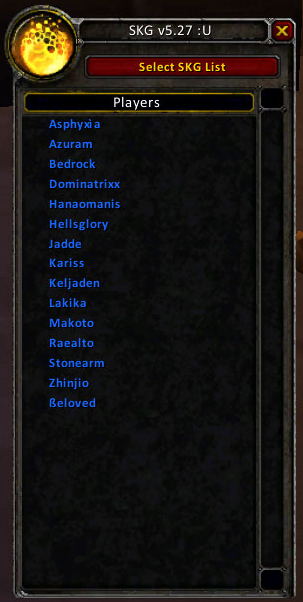
- /skg - opens and closes the SKG interface
- /skg spam - Spam top players in the currently displayed list
- /skg spam - Spam players from the currently displayed list, starting at position
- /skg noroll - Spam players that still need to roll
- /skg sync - Sync the lists to the guild
- /skg sync - Send a directed sync to
- /skg sync [list2 ] - Send specific lists in a directed sync to
- /skg insert - Insert a player at the bottom of the currently displayed list
- /skg insert - Insert a player into the currently displayed list with value
- /skg find - Print out the position of in the currently displayed list
- /skg suicide - Suicide in the current list
- /skg master - Set yourself as the SKG master
- /skg close - Close bidding on an item
- /skg list - Change the displayed list to
- /skg help - Display this help text
General Usage Description
This plugin maintains a list of all the characters (toons) that raid with a particular set of people for the purposes of fair loot distribution. In any given raid, only the people in the list who are present can have their positions changed during loot distribution. When a particular loot item is up for bidding, anyone who is interested in the item whispers the Master Looter with the word bid. If a mistake is made, they can withdraw from bidding by whispering retract to the Master Looter. Once all bidding is done, the Master Looter closes the bidding and the winning player is suicided to the bottom of the active list. All other players that were below that player in the list will move up a notch. To repeat, players not in the current raid do not change positions. All other active players move through them without modifying inactive positions.
Initial Setup
The best way to setup initial positions in the SKG system is to have everyone who will be in the lists join a raid. The leader of the raid (or a raid assistant) should become skg master (/skg master). The SKG master should create a single list for the guild or raiding group. Call it whatever you like. Raid is a commonly used name. Make sure that the Auto-list mode checkbox is checked on the Options panel. Have everyone in the raid type /roll 1000 twice. The first roll will be used to determine their position in the main raiding list, the second will be used to determine their position in the class list.
Syncing between two simultaneous raids
This is the primary reason the previous version of SK wasnt working for people, and, aesthetics aside, the primary reason to upgrade to this version. Use the following procedure to sync between two raids happening at the same time (eg, two 10 man Kara runs on the same night).
- Make sure both master looters (from group A and group B) have the current data before the raid begins
- When loot drops for Group A, have the ML from group A take skg master
- Process the loot (bid, close, etc)
- When loot drops for Group B, have the ML from group B take skg master
- Process the loot (bid, close, etc)
The only time you end up with a problem is when both groups have a loot drop to process. It is necessary for one group to WAIT while one group processes their loot before the second group can. Make sure the two master looters are coordinating their efforts closely during the raid to avoid overlap.
FAQ
Ive done the initial setup, and weve been raiding with the same group for awhile now. Yesterday, we had a new person join the raid group. It would be unfair to have them /roll to make an initial position in the lists, how do I add them in?
Quote:Agreed. Once your initial group has been running for awhile, the only position new raiders should be inserted in is the bottom of the list. You can this by either by selecting the person in your raid group and clicking on 'Insert' on the 'Functions' panel, or by typing '/skg insert' at the command line. Either way, make sure you have 'Auto-list mode' checked if you want them inserted into the class lists as well.
I still have Suicide Kings (the old version) running and I can still see our old lists there. Is there no way to import the data easily?
Quote:Unfortunately, no. Due to restrictions in the API, as far as I can tell, a plugin cannot access another plugins data. As mentioned above, youll have to do a manual import the first time to use the old lists. In addition, I wouldnt advise using both at the same time. Although I cannot confirm that it was due to that fact, one user complained that their old data was lost when both plugins were loaded.
Someone logged in who hadnt been on in awhile, and did an /skg sync. Everyone blindly accepted it and now were screwed. We all have the old lists! Help?!?!?!
<<quote>>This is an unfortunate occurrence, and there is almost no way to really guard
against this. A few suggestions:
- Always maintain your good data on a website using the SK List program. That way, when this event occurs, you can re-download the good data from the website.
- Never accept a sync from someone who doesnt have current data. I realize its a moot point once youve already done so, but keep it mind all the time.
- If you havent logged out since the 'bad' sync occurred, look for the backup LUA file in your SavedVariables directory. It should contain the correct data.
- # Logout
- # Overwrite the current LUA file with the backup
- # Enter the game, and resync your data back out to the group<</quote>>
Help!???! For some reason, none of the old /sk commands are working now that Ive loaded your plugin! WTF, over!
Quote:Yup, all the commands have been changed to /skg. Sorry to upset your well-defined world.
Support for SK_List
In short, yes, SK_List does work just fine with this plugins data.
Change all occurences of SuicideKings.lua to SuicideKingsGeo.lua in the skparser.php file (4 lines changed), upload.php (5 lines changed) and the config.php file (1 line changed).
Everything should work fine after that.
Comments