This site works best with JavaScript enabled. Please enable JavaScript to get the best experience from this site.
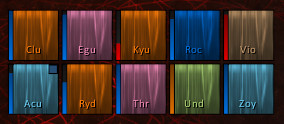
Trying to make my frames into a single row across the screen. Played with the settings but unable to do this. Also it would be great if the test frame function went to 40 man instead of a 5 man party. likely could tweak the code to allow both these changes to happen only thing is I have no idea. What would you like to make this happen
Would love the whole raid to continue along the top of the screen in a single row
Just in the configuration window displayed in the screenshot ( appearance > layout disposition ), there is a a Units per column option (units/col): type 40 instead of 5 in the small editbox below the slider.
But be careful. do not use any "By Group" layout because in this case a crazy number of unit frames will be created: up to 8 group x 40 units = 320 windows:
So use only "By Role" or "By Class" layouts: (Goto "Layouts > By group type" and select "By role" or "By Class" layouts for solo/group/raid&arena contents.
Another option is to create a custom layout:
1. Goto Layouts > Editor
2. In the "create new layou" option type a name for your new layout, push accept.
3. In units/col option select 40.
4. Select the new created layout to be used for raids, in Layouts "By Group Type" Tab", "Raid" option.
The test mode can display 40 players, but the general test button only displays the layout configured for your current group type (so if you are solo, it displays the layout for solo content) you have to go to:
1. General > Layouts > By Group Type
2. Click the "magnifying glass" just to the right of the "Raid" option to enable the test mode for this content type.
Mate you just earnt yourself a carton of beer. Thankyou so much for the time you spent helping me and for creating this addon without it I could not be a healer. A donation is coming your way
To post a comment, please login or register a new account.