This site works best with JavaScript enabled. Please enable JavaScript to get the best experience from this site.
Hello,
Love FlagRSP, but after installing it, I get hundreds of messages in my Chat Channels from:
[extensionxtooltip2] (AnotherCharacter'sName):<dp>(MyCharacter'sName)
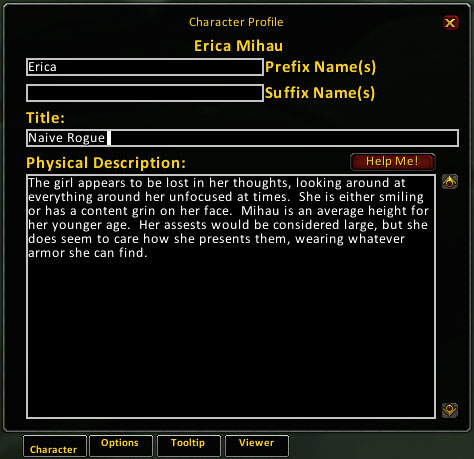
If I had to guess, it comes up every time someone mouses over my character either in game, or in the FlagRSP Viewer pane. Am attaching a screenshot to show you want happens.
I am using "Chatter" to give me different Chat window panes/tabs, if that makes any difference.
What steps will reproduce the problem?1. Seems to be a side-effect of using the Add-On2. I've tried turning likely suspect channels off in Chatter, but it doesn't change the problem.
What is the expected output? What do you see instead?
Would prefer not to see those system-style messages, otherwise the Add-On works fine.
What version of the product are you using?
FlagRSP2 2.0.10 Release
Do you have an error log of what happened?
No, but if you tell me how to generate/find one, I'll be glad to send it!
Please provide any additional information below.
Right click the chat tab and click on settings. Under other channels, uncheck the xtensionxtooltip2 channel. Chatter may be interfering with it, but I have not used it personally.
Checked that...and xtensionxtooltips channel is off, nonetheless, it continues to spam the general Chat frame.
It's almost as if Chatter is making the text which should be invisible, visible.
Any other ideas?
(It also happens using flagRSP WotLK version.)
This seems to be a global issue for chatter. Immersion and MyRolePlay spam you with the name comments as well. I've tried going into the settings under Highlight to remove my character name from the announcement list, however, Chatter doesn't seem to remember. I'm not sure why its posting information from a squelched channel, but alas, it does.
The problem seems to have been addressed on the Chatter tickets: http://www.wowace.com/projects/chatter/tickets/
however, it doesnt appear the addon has been updated in a while.
To post a comment, please login or register a new account.