Shadowed Unit Frames
SUF focuses on a simple configuration while maintaining the flexibility that most users will care about, preventing unnecessary bloating of the addon that sacrifices performance. While you aren't going to be able to set the health bar to be exactly 3.14 pixels outside of the unit frames, you can change options you actually care about such as bar height, ordering, frame height and so on. To speed up configuration, you can configure multiple units at the same time through the global configuration. For example, if you want to set the height of the Player, Target, Focus and Party frames to 50 then the height of Target's Target, Target's Target of Target, Focus Target to 30 you can easily do this by changing two options instead of having to do it seven times.
However, should you need a little bit of extra configuration do not despair! An advanced option is included that will unlock additional configuration giving finer control over the configuration.
Shadowed Unit Frames in Midnight
Due to the strict limitations on addons introduced by Blizzard in Midnight, SUF will not be updated at this time.
Shadowed Unit Frames in WoW Classic
There is in-development Beta versions available for WoW Classic!
Note that WoW Classic does not provide all the information that you might be used to:
- There is no Focus Frame
- Information about the HP of enemies is not available, and they'll show as 100 HP
- Cast Bars for anyone but the player himself are not available
- Debuffs have no duration information
Some of this data can be restored with additional libraries/addons, but it'll always be guesswork and potentially inaccurate. Shadowed Unit Frames comes bundled with LibClassicDurations for debuff durations. Mob HP can be provided by Real Mob Health, which you need to install manually.
Note on copying your layout from Retail to Classic:
In general you cannot copy your layout between the two versions, since they are quite different, and doing so will result in certain elements exclusive to one version (like Pet Happiness on Classic) not always working properly. There are some provisions in the code that makes copying from Retail to Classic mostly work, use at your own risk - however, never copy a Layout from Classic to Retail, this will absolutely result in the Class-specific power bars and other elements not available on Classic to cease to function.
Slash commands: /shadoweduf (/suf)
Anchoring
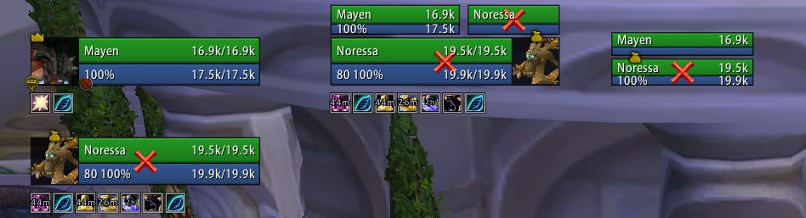
Are you driven crazy by your party frames not aligning up exactly with your player frames, even if it's only half a pixel off? The anchoring system will let you solve all alignment issues, by allowing you to anchor a frame to another and set a simple offset from the frame it is anchored to, or by manually setting the X/Y position of the frame.
Using the screen shot as an example, if you drag the player frame the other frames will move with the player frame preserving the alignment and spacing. Each frame can still be manually positioned wherever you want, but this gives you a way of easily anchoring and moving frames around without having to use a ruler.
Zone configuration (Disabling options/units by zone type)
Units and modules can be enabled or disabled based on the type of zone you are in. For example, if you want to see party targets and party pets while you are in an arena but nowhere else then you can use the visibility options to enable it only while inside an arena. Modules can also be disabled by zone type, if you want to see party auras while in a raid instance but nowhere else you can disable the module in raid instances only.
Profiles do not have to be swapped and it is all automatic.
Units
Supports unit frames are as follows:
Player: Player, Pet, Pet Target
General: Target, Target of Target, Target of Target of Target, Focus, Focus Target
Party: Party, Party Pets, Party Targets, Party ToT
Raid: Raid, Raid Pet, Main Tank, Main Tank Target, Main Assist, Main Assist Target, Boss, Boss Target, Boss ToT, Main Assist ToT, Main Tank ToT
Arena: Arena, Arena Target, Arena Pets, Arena ToT
Battleground: Battleground, Battleground Target, Battleground Target
Features
- Tags: Includes a simple tagging system that can be customized in virtually any way using Lua, even if something isn't included by default odds are you can make the tags
- Incoming Heals: Supports the Blizzard Events for incoming heal data, no external libraries needed
- Auras: Can be set to only show auras you casted, or can cast on others. Can enlarge auras that you casted, and hide the cooldown ring on the timers of auras you didn't cast as well to make it more obvious which ones you casted and which ones you didn't
- Aura Timers: You will need a mod such as OmniCC to show timers on buffs and debuffs
- Aura Indicators: Display colored squares or icons for certain auras on any unit
- Fader: Fades frames when out of combat and inactive (100% mana/no target)
- Class Power (Eclipse, Holy Power, etc): Supports all of the class power features from Eclipse to Burning Embers.
- Highlighting: Border highlighting of frames based on mousing over them, curable debuffs, aggro or you are targeting/focusing them
- Range Checking: Fades frames out that are out of range of you
- Exportable Layouts: If you have a layout, or your friend has a layout you want to try out you can export/import SUF layouts by going to /suf -> Layout Manager
- Profiles: You can change from any profile to another one without reloading your UI, should you want to use a completely different layout based on zone you can easily switch profiles without hassle
Pretty much all the general unit frame settings are in, health bars, cast bars, power bars, portraits, indicators and so on.
Modules
Basic module support is included, should you be interested in building a module see the documentation on github for more information.
Feedback
For feature requests and bug reports, please continue to use the Ticket tracker. Feel free to ask on the thread first, if you're unsure what to do!
Comments


-

Shadowed103 Owner
-

nevcairiel Maintainer
-
View User Profile
-
Send Message
Posted Aug 12, 2026Selph - do you have a current update for MOP?
-
View User Profile
-
Send Message
Posted Aug 12, 2026It says that SUF is Incompatible with 12.1, even if Im rocking v4.4.14. What to do? :(
-
View User Profile
-
Send Message
Posted Aug 12, 2026@TrazzellO Grab the latest update here : https://github.com/NoSelph/ShadowedUnitFrames/releases/tag/v4.6.1
-
View User Profile
-
Send Message
Posted Aug 11, 2026Selph, just a reminder you are awesome and I really hope you get control of a proper fork on curse one day. <3
-
View User Profile
-
Send Message
Posted Aug 10, 2026any fix for these errors?
3x ShadowedUnitFrames/modules/auras.lua:563: attempt to index local 'color' (a nil value)
[ShadowedUnitFrames/modules/auras.lua]:563: in function <ShadowedUnitFrames/modules/auras.lua:539>
[ShadowedUnitFrames/modules/auras.lua]:626: in function <ShadowedUnitFrames/modules/auras.lua:614>
[ShadowedUnitFrames/modules/auras.lua]:690: in function '?'
[ShadowedUnitFrames/modules/units.lua]:194: in function <ShadowedUnitFrames/modules/units.lua:191>
-
View User Profile
-
Send Message
Posted Aug 11, 2026@StrangelandTV Retail ? If so, make sure to use the release for the 12.0.7 patch (and update to the latest release when 12.1 goes live).
-
View User Profile
-
Send Message
Posted Aug 11, 2026@Selph sorry, it’s Hardcore Classic
-
View User Profile
-
Send Message
Posted Aug 10, 2026If you are playing on TBC-anniversary and debuffs do not show, do not waste time trying to repair this, nothing worked for me. delete this version and go download Shadowed Unit Frames- TBC Anniversary on curseforge. Fixes all issues and doesn't delete saved profiles or anything. don't waste ur time on this one.
-
View User Profile
-
Send Message
Posted Aug 5, 2026Could use a TBC Anniversary fix right about now.
-
View User Profile
-
Send Message
Posted Aug 7, 2026@user_4q6e9dcwpc7gdgzb lovemoon0314 posted a .zip link in earlier comments and replies. I copied the two folders into my interface folder and it's back to working correctly. Enemy names are updating and the debuffs are showing.
-
View User Profile
-
Send Message
Posted Aug 5, 2026I used claude to find and fix the problem with classic era. Maybe this will be of help
To recap what actually fixed it: the TOC version bump (11508→11509) wasn't the real blocker — the genuine break was CastingBarFrame being renamed to PlayerCastingBarFrame in 1.15.9, which crashed HideBlizzardFrames() before it ever hid the default UI.
in the ShadowedUnitFrames.lua
Change this
hideBlizzardFrames(true, CastingBarFrame, PetCastingBarFrame)
To this:
hideBlizzardFrames(true, PlayerCastingBarFrame or CastingBarFrame, PetCastingBarFrame)
-
View User Profile
-
Send Message
Posted Aug 5, 2026Shadowed Unit Frames has stopped working on SoD since this morning. I'm also getting the error messages: 09:32:04 ...ace/AddOns/ShadowedUnitFrames/ShadowedUnitFrames.lua:700: attempt to index local 'frame' (a nil value)
[Interface/AddOns/BugTabs/Events.lua]:72: in function <Interface/AddOns/BugTabs/Events.lua:70>
[tail call]: ?
[C]: ?
[Interface/AddOns/Blizzard_SharedXMLBase/CallbackRegistry.lua]:210: in function <...e/AddOns/Blizzard_SharedXMLBase/CallbackRegistry.lua:209>
[C]: ?
[Interface/AddOns/Blizzard_SharedXMLBase/CallbackRegistry.lua]:213: in function 'TriggerEvent'
[Interface/AddOns/Decursive/Libs/BugGrabber/BugGrabber.lua]:422: in function <...face/AddOns/Decursive/Libs/BugGrabber/BugGrabber.lua:317>
[C]: ?
[Interface/AddOns/ShadowedUnitFrames/ShadowedUnitFrames.lua]:700: in function <...ace/AddOns/ShadowedUnitFrames/ShadowedUnitFrames.lua:696>
[Interface/AddOns/ShadowedUnitFrames/ShadowedUnitFrames.lua]:720: in function 'HideBlizzardFrames'
[Interface/AddOns/ShadowedUnitFrames/ShadowedUnitFrames.lua]:92: in function 'OnInitialize'
[Interface/AddOns/ShadowedUnitFrames/ShadowedUnitFrames.lua]:929: in function <...ace/AddOns/ShadowedUnitFrames/ShadowedUnitFrames.lua:927>
(AND:)
09:32:05 ...nterface/AddOns/ShadowedUnitFrames/modules/auras.lua:684: attempt to index field 'buffs' (a nil value)
[Interface/AddOns/BugTabs/Events.lua]:72: in function <Interface/AddOns/BugTabs/Events.lua:70>
[tail call]: ?
[C]: ?
[Interface/AddOns/Blizzard_SharedXMLBase/CallbackRegistry.lua]:210: in function <...e/AddOns/Blizzard_SharedXMLBase/CallbackRegistry.lua:209>
[C]: ?
[Interface/AddOns/Blizzard_SharedXMLBase/CallbackRegistry.lua]:213: in function 'TriggerEvent'
[Interface/AddOns/Decursive/Libs/BugGrabber/BugGrabber.lua]:422: in function <...face/AddOns/Decursive/Libs/BugGrabber/BugGrabber.lua:317>
[C]: ?
[Interface/AddOns/ShadowedUnitFrames/modules/auras.lua]:684: in function '?'
[Interface/AddOns/ShadowedUnitFrames/modules/units.lua]:21: in function 'FullUpdate'
[Interface/AddOns/ShadowedUnitFrames/modules/units.lua]:1314: in function 'CheckPlayerZone'
[Interface/AddOns/ShadowedUnitFrames/modules/units.lua]:1360: in function <...nterface/AddOns/ShadowedUnitFrames/modules/units.lua:1351>
-
View User Profile
-
Send Message
Posted Aug 3, 2026it's written that the addon is uncompatible in midnight
-
View User Profile
-
Send Message
Posted Aug 9, 2026@du_gall Midnight releases : https://github.com/NoSelph/ShadowedUnitFrames/releases/
-
View User Profile
-
Send Message
Posted Aug 11, 2026@Selph I can't seem to move my debuffs/buffs on the target frame :(
-
View User Profile
-
Send Message
Posted Aug 12, 2026@Selph I sent you a DM with an issue I am experiencing
-
View User Profile
-
Send Message
Posted Aug 3, 2026Thanks @dingfrysrdun. This really works.
-
View User Profile
-
Send Message
Posted Aug 2, 2026For those who cannot see debuffs/buffs on your target's unit frame, I have confirmed this works on Era (Hardcore).
1.) Locate the shadowedunitframes.lua file in your addons folder.
2.) Edit with notepad.
3.) Use Ctrl +F if necessary to find the exact precise location pictured in the imgur link, then paste the text into that spot. (You need to visit this addon in your web browser to copy and paste comment text)
4.) Save the file, relaunch your game.
-
View User Profile
-
Send Message
Posted Aug 9, 2026@lordofstella I copied this into the exact spot on notepad. looks exactly like the text on ur imgur link. it just broke the addon. also broke the normal ui and even that couldnt show buffs or debuffs.
-
View User Profile
-
Send Message
Posted Aug 1, 2026I cannot for the life of me get the addon to work. all of a sudden when i look in game (escape>addons) it only shows the SUF options and doesnt show the main file. just says dependency missing. When i check my addons file the main SUF file is there, just not showing in game. anyone have a fix?