Visor_GUI
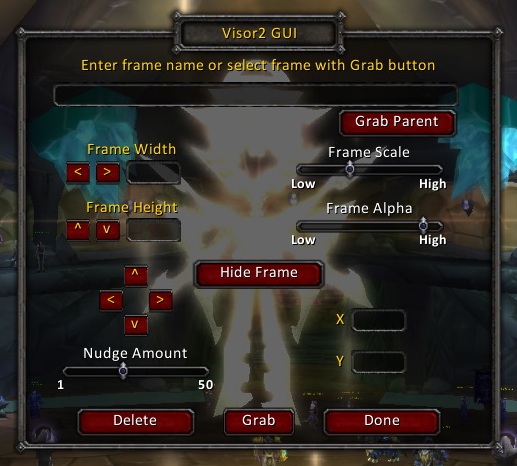
Visor2 GUI is a plugin for Visor2 which allows you to manage your interface using a (relatively) simple-to-use GUI window, rather than using command lines.
Simply type '/vzg toggle' to open the frame, left-click and drag from the "Grab" button, mouseover the frame you want to modify and release the mouse. You can now move, resize, change the alpha (transparency) or even hide the frame completely.
All the settings are saved into Visor2's database, so you can mess around as much as you like and then disable Visor2 GUI without disrupting your preferences.
Support








-

Ravendwyr Owner