Viewporter
A very basic addon to set your viewport, no libraries needed.
I used to use Electroflux Textronator to set my viewport but as ace2 is slowly phasing out of existence I thought I would make a tiny little set and forget addon to do the job, I might have not searched enough but did not find anything suiting my needs.
To help you set up your viewport, you will get a one-time only in-game message when you log in to a character.
The slash commands are: /vp /viewport /viewporter
The viewport setting code with scaling was taken from Electroflux Textronator.
What is a viewport?
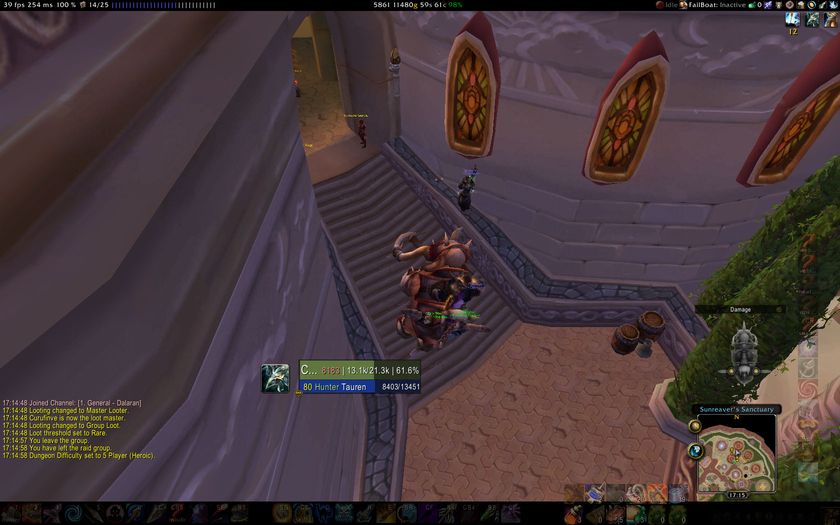
The hole you look through to see things, in this case it means the black bars around your screen limiting the space that needs to be rendered.
You can still put any kind of frame in those areas (like the chat frame), it just stops WoW rendering the enviroment in that place.
It mainly serves the purpose of very minor performance optimizations and making "dead" space to put things in (again, like the chat frame), or to just simply make sure nothing goes on in that area because its already covered by a bar addon.
In the picture below there are two black bands, one on top and one on the bottom.
You can have them on the right and left side too, it comes in handy when playing in a multi-monitor setup (to blank half of one of the monitors so your char is not at the direct center).


-

_ForgeUser56896 Owner
-

10leej Author