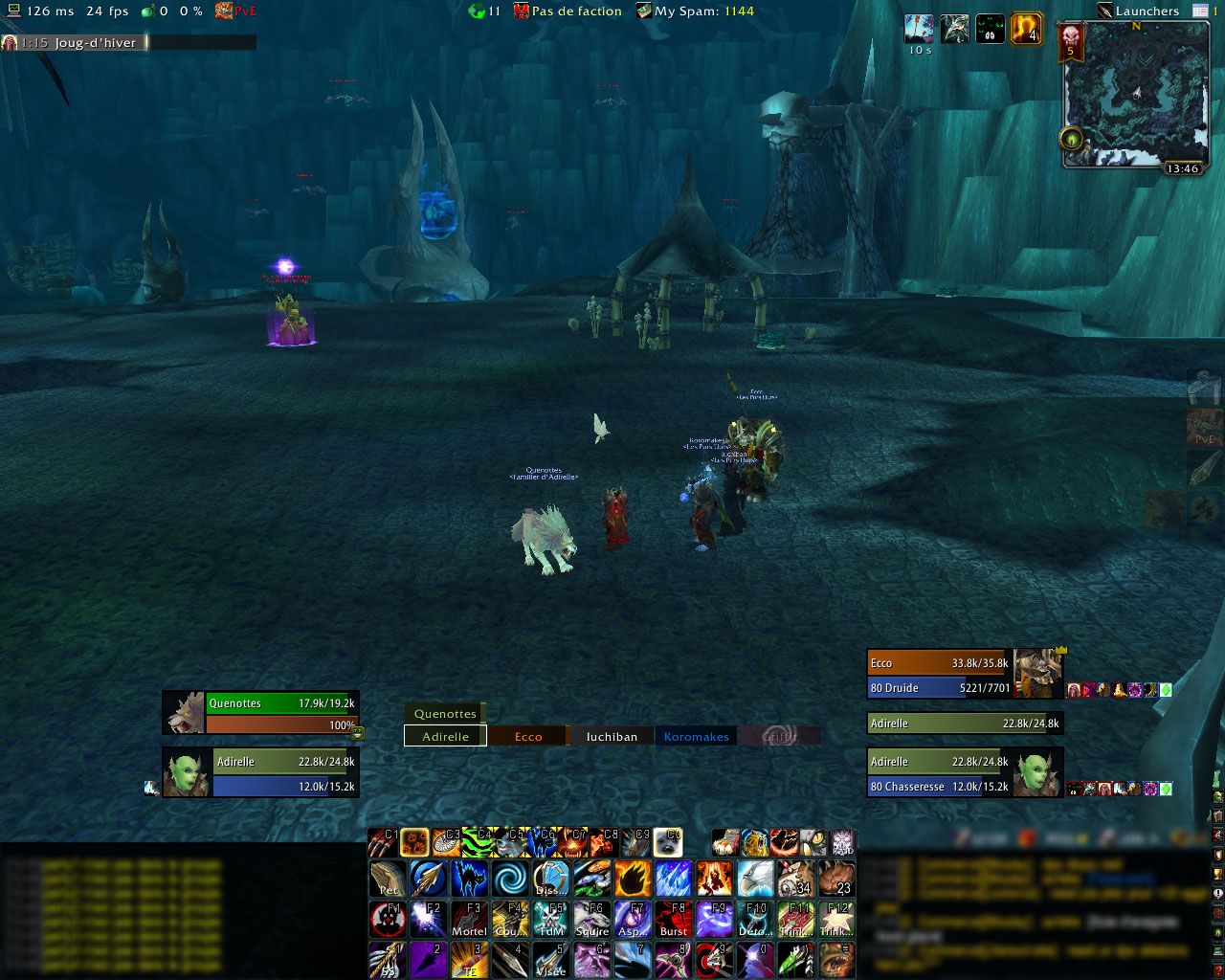
oUF_Adirelle
oUF_Adirelle provides both raid and single unit frames built on top of oUF.
This addon has been originally written for personal use and taste. It borrows ideas from existing raid and unit frame addons.
It has been tested and includes specific settings for the following classes: hunter, druid, paladin, warlock, priest, shaman, death knight. It should work fine with other classes as well.
There are some configuration options. You can open the configuration panel through the /oufa chat command.
Single unit frames and party/raid unit frame sets could be disabled by disabling corresponding addons.
Features
Features common to both group and single unit frames
-
colored border:
- white: current target,
- blue: low mana,
- glowing border based on threat status, using built-in Blizzard colors,
- display raid target icons,
- shows raid/party roles, either assigned by LFD tool or rolecheck,
- displays important debuff for some PvE encounters (Ulduar, Coliseum and Ice Crown Citadel),
- fades out of range targets, using spell range checks (which is a bit more accurate than generic range checking),
- display incoming heals,
- display "alternate power bars" (like the sound bar during Atramedes encounter),
- automatically update your role in raids, based on your current spec,
- You can use the
/oufa_health(or/oufah) chat command to set a health threshold, below which health bars are highlighted. Type/oufa_health helpfor detailled usage./oufa_health 10kmight come handy for Chimaeron fight.
Group unit frames
- health bar fills from right to left when unit loses life,
- display important buffs (like tank cooldowns, feign death, iceblock, ...),
- display curable debuffs in the center of the frame,
- display important debuffs (boss debuff or PvP control abilities),
- display small icons in corners for heal-related auras,
- ready check icon,
-
special status icon:
- skull: dead unit,
- lightning: disconnected unit,
- whirlwind: out of view (either really far unit or unit in another instance).
More details about the cell layout are available there.
Single unit frames
- frames for player, pet, target, target of target, focus,
- class-colored health bar for players, happiness-color health bar for hunters' pet,
- display numerical health and power values,
- display percentage health for elite/boss units,
- show unit level and classification/class,
- show elite/rare dragon decoration,
- class specific features: runes, totems, eclipse energy, holy power, soul shards,
- also shows druid mana in cat/bear form,
- show PvP status,
- smart aura display depending on unit reaction,
- when in group, displays a small threat bar on target frame,
- optional casting bars on target, focus and pet frames; controlled by the "show cast bars on targets" option in Blizzard combat panel.
Other frames
Boss and arena enemy frames are available in separate addons. They uses and requires oUFAdirelleSingle.
Library related features
The following feature are available using libraries:
- bar texturing: LibSharedMedia-3.0 (provided).
- frame positionning and ConfigMode support: LibMovable-1.0 (provided).
- player buffs, crowd control and dispells: LibPlayerSpells-1.0 (provided).
- more complete encounter debuff list: BigWigs version 11425 or higher; by default oUF_Adirelle shows the same debuffs than the default raid units. With a recent version of BigWigs, it also watches and displays the same debuffs as BigWigs.
Known issues
- Clique issue with unit menus: long story short, if you have installed Clique and you cannot open the unit menus by right-clicking them, just remove the "Open unit menu" binding from Clique.
License
oUF_Adirelle is licensed using the GPLv3. See the [LICENSE.md] file.


-

Adirelle Owner