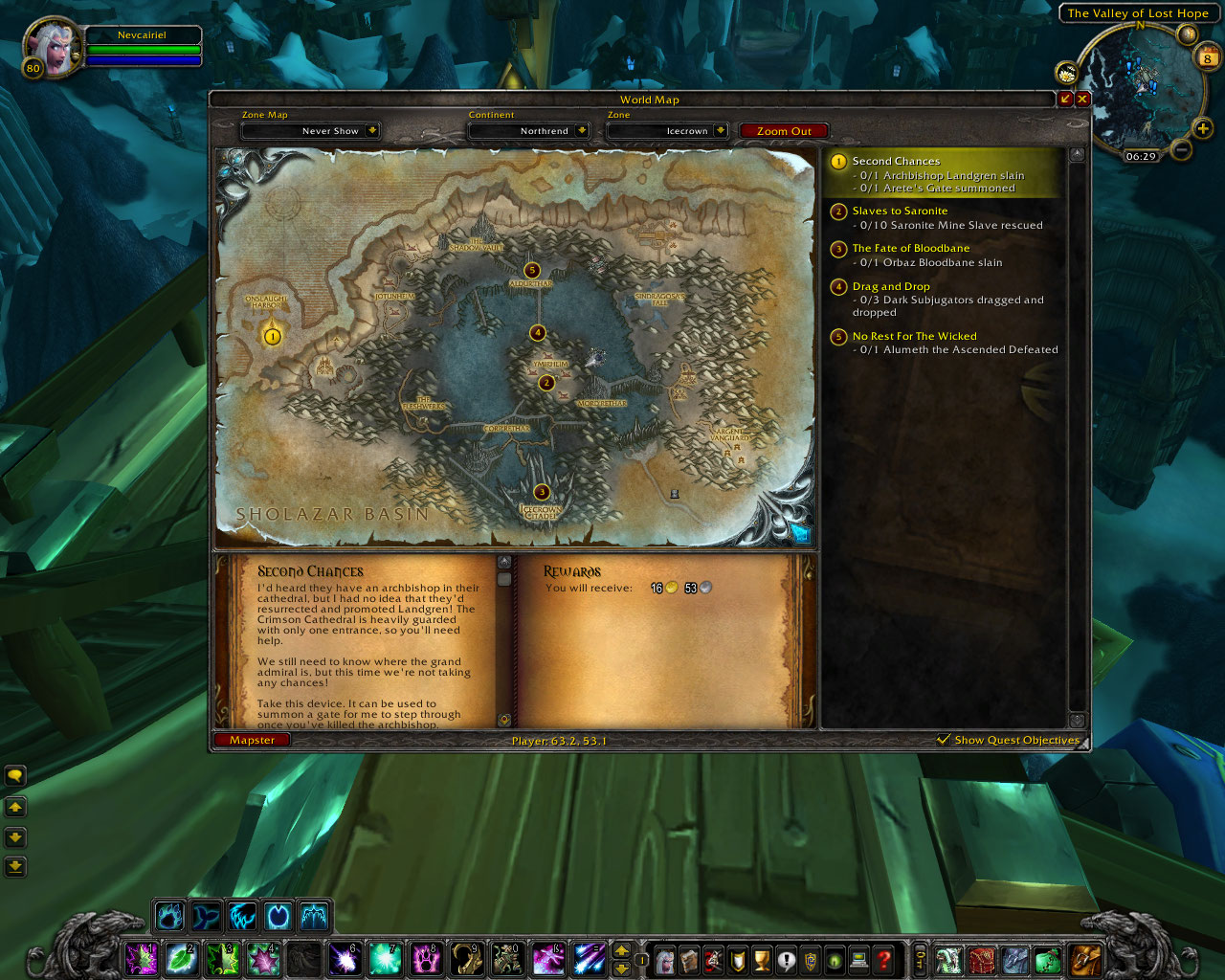
Mapster

Filters

  • 38 phrases found
KeyEnglishContext
KeyEnglishContext
Accuracy

Adjust the size of the Player Arrow on the Map for better visibility.

Alpha

Battlegrounds

BattleMap

Change the scale of the world map if you do not want the whole screen filled while the map is open.

Coordinates

Cursor

Debug

Enable BattleMap

Enable Coordinates

Enable FogClear

Enable Group Icons

Enable Instance Maps

FogClear

FogClear collects new Data in your own SavedVariables, but that data might get corrupted (or simply old) with a new patch. Reset the data if you see corruption in the world map.

Group Icons

Hide Map Button

Hide Textures

Hide the surrounding textures around the BattleMap, only leaving you with the pure map overlays.

Instance Maps

Mapster allows you to control various aspects of your World Map. You can change the style of the map, control the plugins that extend the map with new functionality, and configure different profiles for every of your characters.

Northrend Instances

Northrend Raids

Note: You need to reload your UI after reseting the data!

Overlay Color

Player

PlayerArrow Scale

Reset FogClear Data

Scale

The BattleMap module allows you to change the style of the BattlefieldMinimap, removing unnecessary textures or PvP Objectives.

The Coordinates module adds a display of your current location, and the coordinates of your mouse cursor to the World Map frame.

The FogClear module removes the Fog of War from the World map, thus displaying the artwork for all the undiscovered zones, optionally with a color overlay on undiscovered areas.

The Group Icons module converts the player icons on the World Map and the Zone/Battlefield map to more meaningful icons, showing their class and (in raids) their sub-group.

The Instance Maps module allows you to view the Instance and Battleground Maps provided by the game without being in the instance yourself.

Turn on debugging for the FogClear Module.

You can change the transparency of the world map to allow you to continue seeing the world environment while your map is open for navigation.

You can control the accuracy of the coordinates, e.g. if you need very exact coordinates you can set this to 2.

  • 38 phrases found