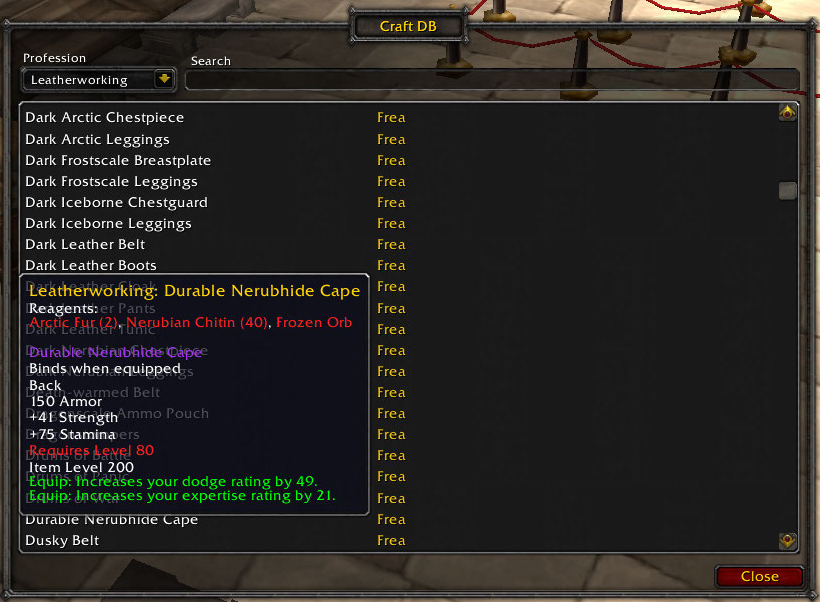
Craft DB
Craft DB is your all in one crafting list for you, your guild, and any other profession links you open from chat. Simply open your profession list or any you see in chat once, and it will remember the list, and the name of the crafter. Simply type /cdb in chat and it will open the Craft Database window allowing you to browse professions via a drop down menu. Once you have your selected list, make use of the search bar to type the name of the item you are looking for and if you have seen a crafter that knows it, it will show you the recipe and the name of available crafters. If you wish to link an item from the list, simple open a chat edit box in the preferred posting of your choice; /y, /s, /w [insert name], /g and shift click the item and press enter to post to chat.
Currently it does not differentiate online, offline status, but a quick /who will tell you that.

-

_ForgeUser2492379 Owner
Comments