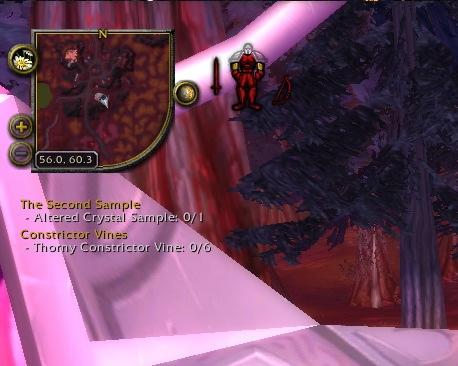
Chinchilla Minimap
Chinchilla Minimap
Minimap addon of awesomeness. Chinchilla alters the default minimap in a way to provide better features and other niceties.



The Quick Intro
- Appearance - Allows changing of border style, size, and shape of the map. Doesn't have to be circular, or even square. Lots of options are available.
- Compass - A more flexible north-east-south-west indicator.
- Coordinates - Show your location coordinates.
- Expander - Make the minimap large temporarily. Great for gathering or finding a tough-to-spot enemy.
- Location - Show the name of your location more flexibly.
- Move Buttons - Move the buttons around the minimap to wherever you want, or even off the minimap entirely.
- Ping - Show which member of your group pinged the minimap.
- Position - Position the minimap and frames around it.
- Quest Tracker - Adjust the size and appearance of the objectives window.
- Range Circle - Show on the minimap where your range extends to.
- Show Hide - Show or hide various frames related to the minimap.
- Tracking Dots - Change the dots on the map to a different set of images. Very handy, especially if you suffer from colourblindness.
- Zoom - Use the mouse-wheel to zoom the minimap, and zooms out automatically after a short delay.
Configuration
A configuration window can be opened by typing /chin or clicking on the minimap (right-click by default, this can be changed or disabled entirely if you prefer).
Almost everything can be turned on or off or tweaked to your liking.
Translations
Click here to help translate Chinchilla Minimap into your own language.
Credits
Chinchilla Minimap has been developed by many different people over the years, including but not limited to the following:
- Original creator and maintainer - ckknight
- Current maintainer - Ravendwyr
Support







