Chinchilla Minimap

Configuration Menu

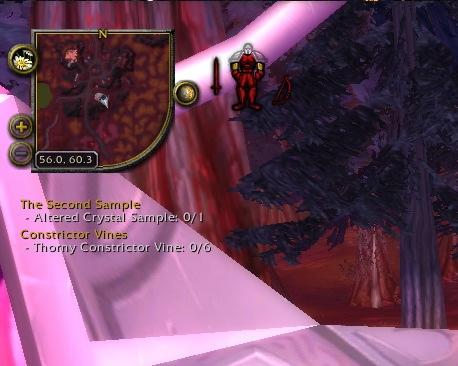
Chinchilla Minimap alters the Blizzard Minimap in a way to provide much nicer features and other niceties.

Appearance
Allows changing of blip size (useful since 3.1), border style, shape of the map (doesn't have to be circular, or even square, lots of options are available), size, etc.
Auto zoom
Zoom out the map automatically after 20 seconds (or so).
Compass
A more flexible north-east-south-west indicator.
Coordinates
Show your location coordinates
Expander
Make the minimap very big temporarily (good for gathering or finding a tough-to-spot enemy).
Location
Show the name of your location more flexibly.
Move buttons
Move the buttons around the minimap to wherever you want (even off the minimap entirely).
Ping
Show which team-mate pinged the minimap
Position
Position the minimap and frames around it.
Range circle
Show on the minimap where your range extends to
Show / Hide
Show or hide various frames related to the minimap
Tracking dots
Change the dots on the map to a different set of images. Very handy, especially if you suffer from colorblindness.
Wheel zoom
Mousewheel to zoom the minimap

Go to http://www.wowace.com/projects/chinchilla/localization/ to help with localizing Chinchilla Minimap in your own language.

You must login to post a comment. Don't have an account? Register to get one!

  • Avatar of ethancentaurai ethancentaurai Wed, 06 May 2009 07:45:17

    Brinna, you say you have no control... as in you can't move it or resize it?

    In the Objectives menu of Blizzard's in-game options make sure that "Disable Mouseover" is unchecked. After doing that, right-click on the watch frames title bar (the grey bit with "Objectives" written in it) and click on "Unlock Window" if it's there.

    Then you will be able to move and resize the watch frame.

  • Avatar of Trixie1971 Trixie1971 Wed, 06 May 2009 01:38:43

    I am experiencing the same problem as Brinna. Please fix this - I love this addon and don't want to have to switch to another minimap addon.

    Thanks (I am also using v2.0.4)

    EDIT - I just downloaded Mappy from Curse to try that to see if I can track Achievements with it, and I get the same error - You cannot track any more achievements, so it appears to be an issue with the transfer from the Blizzard Minimap and the minimap addons

  • Avatar of Brinna Brinna Wed, 06 May 2009 00:04:12

    Advanced Objective options are enabled yet I have no control over quest/achievement tracking. I have no tracking frame and "You don't have space to track any more objectives, stop tracking some first" even though I am not tracking anything. I get no error reports when it comes to achievement or quest tracking but I still cannot see any quest/achievement tracker. Currently using v2.0.4.

  • Avatar of dr dr Sat, 02 May 2009 18:15:44

    Thanks for the respond. I ID the problem as a conflict during the update, a delete and fresh install with the new changes fixed all.

  • Avatar of ethancentaurai ethancentaurai Sat, 02 May 2009 17:35:01

    dr: support for the watch frame was removed as the user can move it about without the need for addons. Please make sure that the Advanced Objective options are enabled in-game.

  • Avatar of dr dr Sat, 02 May 2009 15:01:54

    I updated on 5/2, i've now lost all control over quest/achievement tracking. I have no tracking frame and i can not track the shortest text quest/achievement.

  • Avatar of Grilor Grilor Fri, 01 May 2009 14:16:39

    Error when i try to move the mini map on the new A r20090501025734 versions

    Error: attempt to concatenate local 'frame' (a nil value) AddOn: Chinchilla File: Position.lua Line: 390 Count: 3

  • Avatar of Monito Monito Fri, 24 Apr 2009 15:53:35

    For some reason my pet no longer shows as a blip, but rather an "error symbol" when using any of the blip skins. Any ideas ?

  • Avatar of Blastermaster Blastermaster Thu, 23 Apr 2009 08:13:26

    The map moves when you relog, and the coordinates + location bar also move upon relogging.

  • Avatar of Tinolyn Tinolyn Sat, 18 Apr 2009 15:11:42

    I like the button scaling!

    One thing though. It occasionally bugs and blows up the size of other minimap icons. It's not terrible, just something you may want to look into.

Facts

Date created
10 Jul 2008
Category
Last update
08 Nov 2009
Development stage
Release
Language
  • enUS
  • frFR
  • koKR
  • zhCN
  • zhTW
License
All Rights Reserved
Curse link
Chinchilla Minimap
Reverse relationships
1
Recent files

Authors

Relationships

Embedded library
Ace3
CallbackHandler-1.0
LibStub






