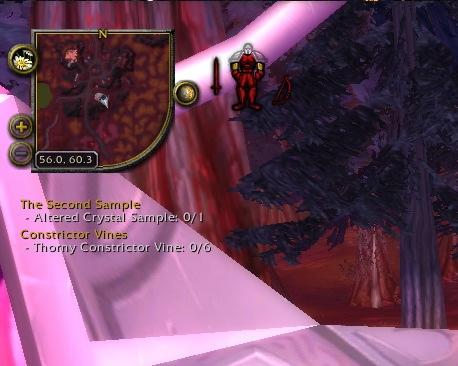
Chinchilla Minimap alters the Blizzard Minimap in a way to provide much nicer features and other niceties.
- Appearance
- Allows changing of blip size (useful since 3.1), border style, shape of the map (doesn't have to be circular, or even square, lots of options are available), size, etc.
- Auto zoom
- Zoom out the map automatically after 20 seconds (or so).
- Compass
- A more flexible north-east-south-west indicator.
- Coordinates
- Show your location coordinates
- Expander
- Make the minimap very big temporarily (good for gathering or finding a tough-to-spot enemy).
- Location
- Show the name of your location more flexibly.
- Move buttons
- Move the buttons around the minimap to wherever you want (even off the minimap entirely).
- Ping
- Show which team-mate pinged the minimap
- Position
- Position the minimap and frames around it.
- Range circle
- Show on the minimap where your range extends to
- Show / Hide
- Show or hide various frames related to the minimap
- Tracking dots
- Change the dots on the map to a different set of images. Very handy, especially if you suffer from colorblindness.
- Wheel zoom
- Mousewheel to zoom the minimap
Go to http://www.wowace.com/projects/chinchilla/localization/ to help with localizing Chinchilla Minimap in your own language.
Facts
- Date created
- 10 Jul 2008
- Category
- Last update
- 22 Oct 2009
- Development stage
- Release
- Language
- enUS
- frFR
- koKR
- zhCN
- zhTW
- License
- All Rights Reserved
- Curse link
- Chinchilla Minimap
- Reverse relationships
- 1
- Recent files
- A: v2.0.8-1-g588fe50 for 3.2.0 on 22 Oct 2009
- R: v2.0.8 for 3.2.0 on 05 Aug 2009
- A: v2.0.7-2-gc81e285 for 3.2.0 on 05 Aug 2009
- R: v2.0.7 for 3.1.0 on 18 May 2009
- A: v2.0.6-5-g5d78a12 for 3.1.0 on 18 May 2009
Authors
Relationships
- Embedded library
- Ace3
- CallbackHandler-1.0
- LibStub
- #28
KurenaiXIII Sat, 03 Oct 2009 19:55:41Is there any way to force the location bar to anchor one corner or the other? I am having the devil's time with it displaying oddly, constantly switching positions as I change zones
I'd love for it to just anchor one side and extend from the other.- #27
ExEvolution Thu, 20 Aug 2009 23:33:23After using Chinchilla to move the ticket status frame, it doesn't stay put, it will randomly reset to the original position and I have to move it again. Any reason why it would do this?
- #26
minea Wed, 15 Jul 2009 16:30:37ps: I play on ragnaros, but I've never used the localization plage before .. how can I contribute esMX traducciones?
- #25
minea Wed, 15 Jul 2009 16:24:39I use the minimap and the zone minimap and decided to put them in the same place and just toggle chinchilla when I wanted to see the zone minimap underneath. But the blips from the zone minimap show up on top no matter what, so I had to link the display of the two together. I did it by adding this line after Location.lua:87
and it works, as long as I take care to have the zone map off before I click the minimize button on chinchilla, only one map shows at a time.
Sometimes they would fall out of synch, mostly because I have a habbit of using "shift-M" for the zone map. After playing with it a bit I decided it would be best to fix that, so I bound shift-M in chinchilla.
Creates a Bindings.xml file:
Then at Chinchilla.lua:23
and at the very end of Location.lua:
the arrangement might not be best. But I set "control-shift-M" for the interface Zone Map toggle and "shift-M" in the chinchilla keybindings and now when I use shift-M I can't screw up the interdependant state of the two maps. :) So, all good, it works.
It probable should be localized, but I wasn't for certain that I can just do BINDING_NAME_CHINCHILLA_TOGGLEMAPS = L("Toggle Maps")
and more importantly, if it were possible to write this as a stand-alone plugin that is probably better than injecting it into the project. I'm not sure how to go about doing that though ... anyway, at least I thought I'd share what I've got. :)
here's a little video:
Chinchilla with Togglemaps
- #24
Kupotek Sun, 28 Jun 2009 00:02:45Having a problem. I set it to square but it stays circular. Having to have advanced tracking enabled really sucks, since every timer you scroll over it the huge window appears, and who the hell wants to see that all the time?
Ugh, I thought I had found the perfect minimap but it looks like it's back to the drawing board.
- #23
xtoq Sun, 14 Jun 2009 17:45:03You might try this, the SUI forums suggested it for SexyMap and SUI, but I've used it on other setups.
Make a macro, and put this in it:
(The /s is because it doesn't work for me without it. You can try it both ways.) Then you should be able to disable or enable the tracker. Hope this helps!
- #22
toxidlotus Tue, 26 May 2009 20:17:19So after more messing around I finally got it to work. I had to disable the position feature on chinchilla then check the advanced objectives tracking, then move it and resize it, then re-enable positioning in chinchilla. I have to keep the objectives tracking enabled though. So I just locked it.
- #21
toxidlotus Tue, 26 May 2009 20:06:48Hmm. I keep having issues with my achievement tracking. I've tried the tricks listed below but still keep getting the error about not being able to track anymore achievements. I found that when I disable the position feature my achievement tracker pops up with the achievements I tried to track. However I obviously can't move my minimap. :/ When I enable it it makes my achievement tracker disappear again. When I try to use moveanything! to move the avhievement tracker it says it can't find the frame. Any ideas? Is there something I have missed?
- #20
xerawx Thu, 07 May 2009 18:52:03Rebuilt my UI the other day and ran into the quest tracker bug, and came across Eilenda's suggestion which didn't quite work for me but after some mucking around I found a similar method which did. Logged in with no addons loaded, disabled advanced objectives tracking, shift-clicked a quest in the log and the frame appeared in the default spot. Re-enabled advanced tracking, relogged with all addons loaded and it seems to be working fine now. Strange bug, definitely related to the advanced objectives tracking somehow though.
- #19
eilenda Wed, 06 May 2009 07:49:35For those whith a tracker problem try this : its working fine for me. Press escape to bring up the system menu, select "Interface" then "Objectives" and turn advanced objectives tracking off entirely it will give you a popup to warn you all current settings will be lost... click okay... then turn advanced objectives tracking back on and make sure the "disable mouseover' is unchecked and close everything out. If mouseover is *disabled* then nothing will pop up.... you need to uncheck the "disable mouseover" option before you'll be able to see the objectives window when you do mouse over it.
Once you have done that, you should see the window when you place your mouse in the upper left area of the screen (not in the corner, but the general area. Once you "see" the window. right click the title and select "unlock window" so you can resize it. Give it the size you want, then go back to interface/objectives and check on the disable mouse over function : you will not see the tracker anymore but this time you can track correctly without getting "You don't have space to track any more objectives, stop tracking some first"






